


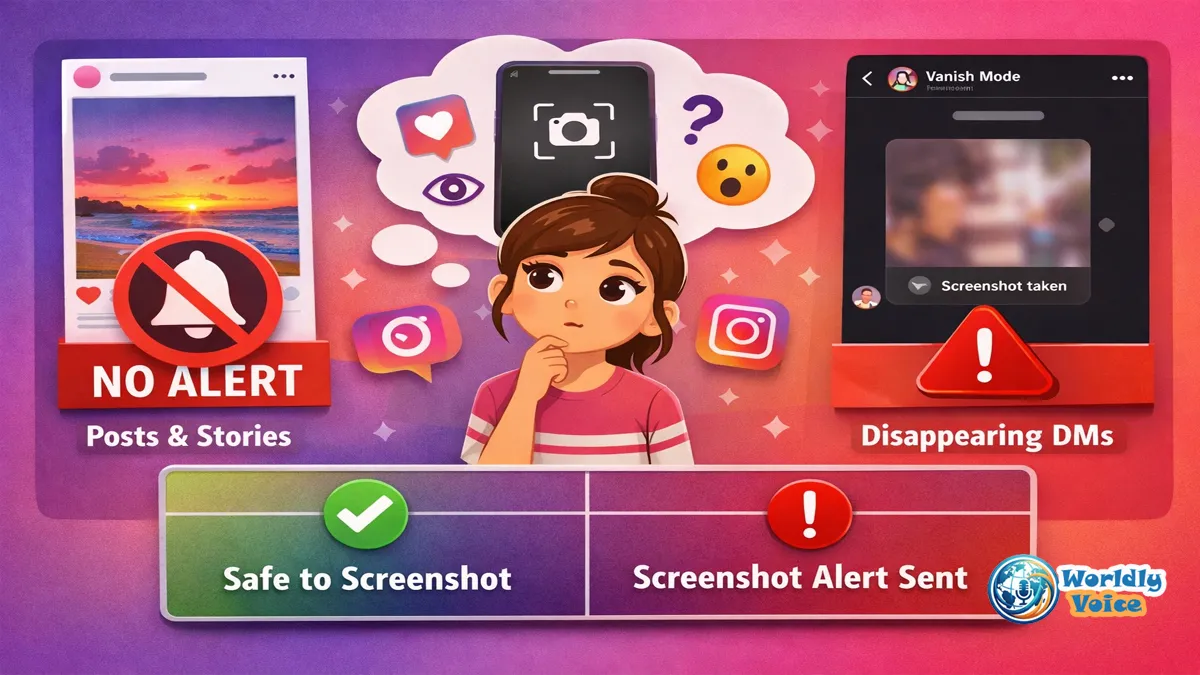
If you’ve ever paused before saving someone’s photo and wondered, does instagram notify when you screenshot a post, you’re not alone. I’ve tested Instagram’s screenshot behavior across posts, Stories, Reels, regular DMs, disappearing photos, and Vanish Mode chats, and the answer in 2026 is clear: Instagram does not notify people when you screenshot a regular post.
That means feed photos, carousel posts, Reels, profile pages, and most regular messages can be captured without triggering an alert.
But there is one major exception.
Instagram does notify users when you screenshot disappearing photos or videos sent in Direct Messages, especially View Once, Allow Replay, and Vanish Mode content.
This guide breaks it all down in simple terms. We’ll cover what Instagram alerts users about, what it doesn’t, how story screenshots work, whether screen recording is treated differently, and why third-party “screenshot tracker” apps should be avoided.
I’ll also share practical privacy notes from experience, because screenshot rules are not just a tech issue. They affect trust, consent, and digital boundaries.
1. Does Instagram Notify When You Screenshot a Post?
No. Instagram does not notify someone when you screenshot their feed post.
That includes:
- Single photo posts
- Carousel posts
- Reels
- Profile pages
- Captions
- Comments
- Public account grids
- Most business or creator account posts
So if your question is does instagram notify when you screenshot a post, the 2026 answer is still no.
In my experience, this is the most misunderstood part of Instagram privacy. People often assume Instagram works like Snapchat, where screenshots are part of the platform’s notification culture. Instagram is different. It focuses more on engagement signals such as likes, comments, shares, saves, Story views, and DMs.
It does not send a “screenshot taken” alert for regular feed content.
Why Instagram Has a Save Feature Instead
Instagram gives users a built-in Save button, which looks like a bookmark icon. This lets you privately save posts to collections.
For example, I often save posts into private folders for travel ideas, recipes, or research notes. If I’m collecting examples for articles like Beginner Composting Tips, screenshots can clutter my camera roll. The Save feature keeps everything organized inside Instagram.
Still, if you prefer screenshots, the creator will not be notified.
2. Can People See If You Screenshot Their Instagram Post?
No. If you’re asking, can people see if you screenshot their instagram post, the answer is also no.
A post owner may see some general performance data if they have a professional account, such as:
- Reach
- Impressions
- Likes
- Comments
- Shares
- Saves
- Profile visits
But screenshots are not shown in Instagram Insights.
This applies to personal accounts, creator accounts, and business accounts. Even if someone has advanced analytics, they cannot see your screenshot activity on regular posts.
Instagram’s public-facing privacy tools simply do not include a screenshot viewer for feed content.
Real-Life Example
Let’s say you screenshot a local restaurant’s post so you can remember the menu later. The restaurant may see that its post gained views or engagement, but it cannot see that you took a screenshot.
The same applies if you screenshot a fashion post, fitness routine, travel itinerary, meme, or event flyer.
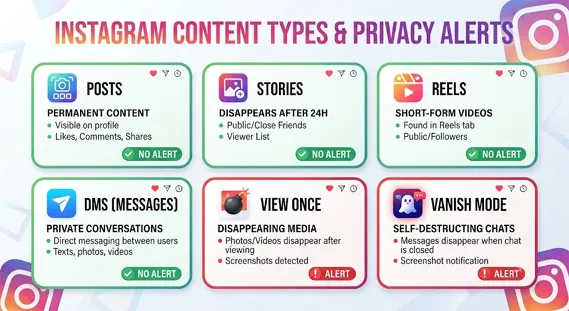
3. Does Instagram Notify When You Screenshot a Story?
No. If you’re wondering, does instagram notify when you screenshot a story, Instagram does not currently alert the Story owner.
That includes:
- Regular Stories
- Close Friends Stories
- Story Highlights
- Public Stories
- Business account Stories
The account owner can see that you viewed the Story if you appear in the viewer list. But they cannot tell whether you captured it.
This is an important distinction. Viewing is visible. Screenshotting is not.
Instagram did test Story screenshot notifications in 2018. During that test, some users saw alerts when others captured their Stories. But Instagram removed the feature after negative feedback, and it has not been part of the standard app experience for years.
So if someone asks, can you tell if someone screenshots your instagram story, the simple answer is no. You can see viewers, reactions, replies, and sticker responses, but not screenshots.
Close Friends Stories Are Not Different
Some users assume Close Friends Stories have stronger screenshot protection. They do not.
If you screenshot a Close Friends Story, Instagram does not send an alert. However, because Close Friends content is more personal, it carries a stronger expectation of privacy.
Just because Instagram does not notify does not mean sharing that screenshot is appropriate.
4. Does Instagram Notify When You Screenshot a DM?
This is where the rules change.
If your question is does instagram notify when you screenshot a dm, the answer depends on the type of DM.
Regular Instagram DMs do not trigger screenshot alerts. Disappearing DMs usually do.
Regular DMs: No Notification
Instagram does not notify users when you screenshot:
- Text messages
- Shared posts
- Shared Reels
- Shared profiles
- Permanent photos
- Permanent videos
- Voice messages
So if someone sends you a normal message and you screenshot it, they will not receive a notification.
Disappearing Photos and Videos: Notification Sent
Instagram does notify the sender when you screenshot disappearing content.
This includes:
- View Once photos
- Allow Replay photos
- View Once videos
- Allow Replay videos
- Vanish Mode messages
This is where the view once photo instagram screenshot alert applies.
If someone sends a disappearing photo and you capture it, Instagram may show a “screenshot taken” alert in the chat. The same rule often applies to screen recordings.
This is part of the broader instagram screenshot notification policy, which treats temporary private media differently from regular content.
For official guidance on Instagram messaging and disappearing content, Meta’s help resources are the best starting point. See Instagram’s official support page on Instagram Direct messages.
5. Does Instagram Notify When You Screen Record?
Many people ask, does instagram notify when you screen record, because screen recording feels different from a screenshot.
For most Instagram content, the answer is still no.
Instagram does not notify users when you screen record:
- Feed posts
- Stories
- Reels
- Profiles
- Regular DMs
But screen recording disappearing DMs or Vanish Mode content can trigger an alert.
This means the instagram vanish mode screenshot notification rule generally applies to both screenshots and screen recordings.
If the content was designed to disappear, assume Instagram may alert the sender when you capture it.
That’s the safest rule to remember.
6. Quick Reference Table: Instagram Screenshot Notifications in 2026
Here is the clearest way to understand the current rules.
| Instagram Content Type | Screenshot Notification? | What the Other Person Can See |
|---|---|---|
| Feed posts | ❌ No | Likes, comments, saves, shares, general insights |
| Carousel posts | ❌ No | No screenshot data |
| Reels | ❌ No | Views, likes, comments, shares |
| Profile pages | ❌ No | No profile screenshot alert |
| Profile pictures | ❌ No | No viewer list or screenshot notice |
| Regular Stories | ❌ No | Viewer list only |
| Close Friends Stories | ❌ No | Viewer list only |
| Highlights | ❌ No | Limited viewer data depending on timing |
| Regular DMs | ❌ No | Message seen status, if enabled |
| Shared posts in DMs | ❌ No | No screenshot alert |
| Disappearing photos/videos | ✅ Yes | Screenshot or screen recording alert |
| Vanish Mode chats | ✅ Yes | Screenshot notification in chat |
If you only remember one thing from this article, remember this: does instagram notify when you screenshot a post? No. But disappearing DMs are different.
7. Instagram Privacy Settings Explained
A lot of confusion comes from assuming privacy settings change screenshot behavior. They usually do not.
Here is instagram privacy settings explained in plain language.
Private Accounts
A private account controls who can follow you and see your posts. But if an approved follower screenshots your post, Instagram does not notify you.
Close Friends
Close Friends limits Story visibility to a selected list. It does not block screenshots or send screenshot alerts.
Restrict and Block
Restricting or blocking someone can limit interaction. But it does not reveal past screenshot activity.
Professional Accounts
Business and creator accounts get analytics. But those analytics do not include who took screenshots.
Message Controls
Message settings can reduce unwanted DMs. They do not prevent screenshots in regular chats.
In my testing, privacy settings mostly control visibility and interaction. They do not turn Instagram into a screenshot-detection platform.
That matters if you manage sensitive content. If something should not be saved, copied, or shared, Instagram may not be the safest place to post it.
For broader account safety guidance, Meta provides official security information through the Instagram Help Center.
8. Third-Party Screenshot Tracker Apps Are Risky
If you search for how to tell if someone screenshotted your instagram story, you may see apps or websites claiming they can reveal screenshot activity.
Be careful.
Most of these services are scams. Some ask for your Instagram username and password. Others push fake “analytics” dashboards. Many exist to steal login credentials, harvest personal data, or trick users into subscriptions.
So, is it safe to use third-party instagram tracker apps?
In most cases, no.
A trustworthy app cannot show private data that Instagram itself does not provide through official tools. If Instagram does not show Story screenshot activity, a random tracker app cannot magically access it.
The U.S. Federal Trade Commission has useful advice on avoiding phishing and suspicious login requests. Their guide on phishing scams is worth reading if you have ever entered your social media login into an unfamiliar website.
Red Flags to Watch For
Avoid any app that says it can show:
- Who screenshotted your Story
- Who saved your photos secretly
- Who stalked your profile
- Hidden profile viewers
- Private account activity
- Deleted DM screenshots
Instagram does not provide that kind of data to third-party apps.
9. Etiquette: Screenshots May Be Invisible, But They Still Matter
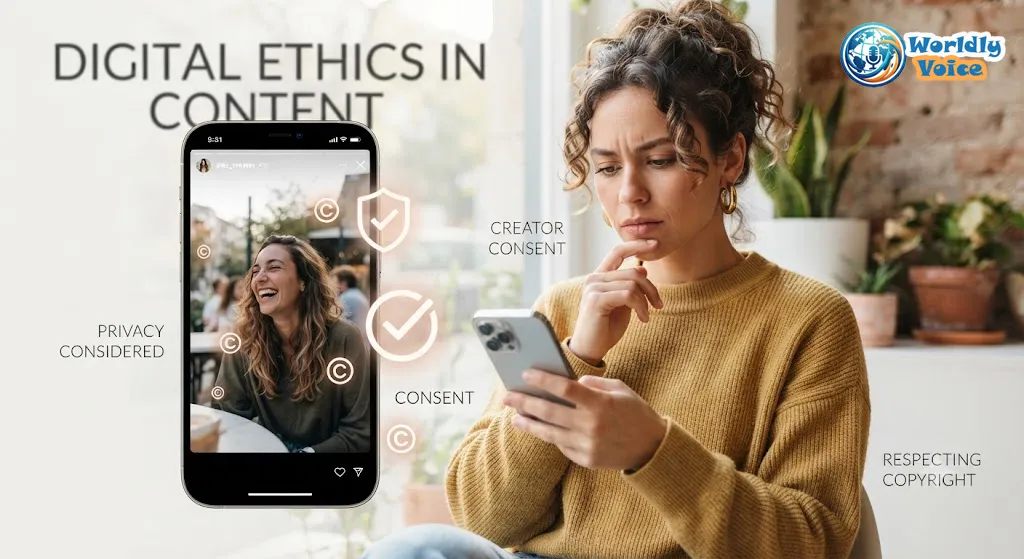
Instagram may not notify users when you screenshot regular content, but ethics still matter.
A screenshot is easy to take. Sharing it is where problems begin.
Before reposting someone’s image, Story, caption, or private message, ask yourself:
- Is this public or private content?
- Would the creator expect this to be shared?
- Does this include someone’s face, location, child, workplace, or personal details?
- Am I adding credit or context?
- Could sharing this embarrass or harm someone?
I’ve seen screenshots used responsibly, such as saving event details, remembering product names, or documenting public announcements. I’ve also seen them damage friendships when private Stories or DMs were passed around without permission.
For example, if someone screenshots a travel update about Facilities at Chongqing East Railway Station for personal planning, that’s different from reposting a private Close Friends Story without consent.
The technology may allow it. Trust may not.
10. Copyright and Reposting Rules
Screenshots do not erase copyright.
If someone creates a photo, illustration, Reel, caption, graphic, or design, they usually own the intellectual property in that content. Taking a screenshot for personal reference is one thing. Republishing it on your page, blog, newsletter, or marketplace listing is another.
This applies to:
- Artists
- Photographers
- Influencers
- Brands
- Small businesses
- Journalists
- Meme creators
- Sports accounts, including niche communities like OUAZ Football
If you want to repost content, the safest approach is to ask permission, credit the creator clearly, and use Instagram’s native sharing tools when possible.
Instagram’s rules also sit alongside copyright law, platform terms, and local privacy laws. When in doubt, get consent.
11. Semantic SEO Notes: Entities, N-Grams, and Schema Alignment
For readers and search engines, the important named entities in this topic include:
- Instagram — social media platform owned by Meta Platforms, Inc.
- Meta — parent company of Instagram, Facebook, WhatsApp, and Threads.
- Instagram Direct — Instagram’s private messaging feature.
- Vanish Mode — temporary messaging mode inside Instagram DMs.
- Stories — 24-hour Instagram media posts.
- Reels — short-form Instagram videos.
- Snapchat — a competing social app often associated with screenshot notifications.
Natural related phrases include screenshot notification, Instagram Story viewer list, disappearing photo, screen recording alert, regular DM, View Once media, Allow Replay, Close Friends Story, and profile screenshot.
For schema.org markup alignment, this article best fits:
ArticleFAQPageHowToonly if adapted into a step-by-step privacy checklist
The FAQ section below can support FAQ schema. The table can also help search engines understand the consensus answer clearly.
FAQs About Instagram Screenshot Notifications
1. Does Instagram notify when you screenshot a post?
No. Does instagram notify when you screenshot a post in 2026? No. Instagram does not alert users when you screenshot feed posts, carousel posts, Reels, profile pages, or profile pictures.
2. Does Instagram notify when you screenshot a story?
No. If you ask, does instagram notify when you screenshot a story, the answer is no. The Story owner can see that you viewed the Story, but not that you screenshotted it.
3. Can you tell if someone screenshots your Instagram story?
No. Can you tell if someone screenshots your instagram story? Not through Instagram. You can only see viewers, reactions, replies, and sticker interactions.
4. Does Instagram notify when you screenshot a DM?
Sometimes. Does instagram notify when you screenshot a dm? Regular DMs do not trigger alerts. Disappearing photos, View Once media, Allow Replay media, and Vanish Mode chats can trigger screenshot notifications.
5. Can people see if you screenshot their Instagram post?
No. Can people see if you screenshot their instagram post? They cannot. Even professional account analytics do not show screenshot activity.
6. Are third-party Instagram screenshot tracker apps safe?
Usually not. Apps claiming to show hidden screenshot activity or Story screenshot viewers are often misleading or unsafe. Use Instagram’s official features instead.
Conclusion: The 2026 Truth About Instagram Screenshots
So, does instagram notify when you screenshot a post?
No. Instagram does not notify users when you screenshot regular posts, Stories, Reels, Highlights, profiles, profile pictures, or regular DMs.
The only major exception is disappearing private content. If you screenshot a View Once photo, Allow Replay video, or Vanish Mode chat, Instagram may alert the sender.
That is the rule I recommend remembering:
Regular public or permanent content: no screenshot alert.
Disappearing private content: screenshot alert likely.
Use screenshots thoughtfully. Save posts when you can. Ask before resharing private material. Avoid tracker apps that promise impossible data. And if you publish content yourself, assume anything visible can be captured.
Whether you are saving a recipe, researching Beginner Composting Tips, checking travel details like Facilities at Chongqing East Railway Station, or following a team such as OUAZ Football, Instagram screenshots are mostly private on the technical side. The human side still depends on respect.
References
- Instagram Help Center: Instagram Direct messages
- Instagram Help Center: Instagram Help Center
- Federal Trade Commission: phishing scams
