


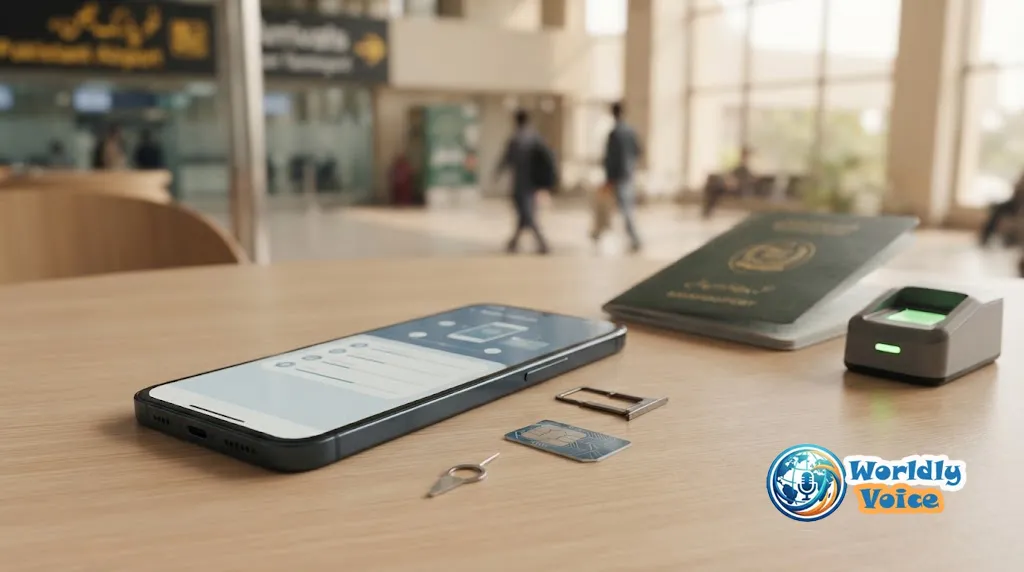
If you are searching for How to Buy a Pakistani SIM Online: Requirements and Activation Guide, the process is easier than it used to be—but “online” does not mean you can bypass identity verification. Some Pakistani mobile operators allow customers to order a physical SIM online and have it delivered, while activation still depends on the required biometric or identity-verification process. Jazz, for example, currently offers online SIM ordering with doorstep delivery and biometric activation through its delivery partner.
For foreign visitors, the process is slightly different. A passport and valid visa or other eligible documentation may be required, and some operators require foreigners to visit a customer service centre or franchise for registration. eSIMs can also be an option, but a local Pakistani eSIM should not be confused with an international travel eSIM.
Can You Buy a Pakistani SIM Online?
Yes, but the exact process depends on the network and the type of SIM you want.
The simplest way to think about a Pakistan SIM card online purchase is as two separate stages:
- Ordering or reserving the SIM — this may be possible through an operator’s website or digital channel.
- Registration and activation — this remains subject to the operator’s identity-verification requirements.
Jazz currently provides an online order facility for new SIMs and lists physical SIMs, number selection and eSIM-related services on its website. Its published information also says a customer can order a SIM from home and have the delivery partner perform biometric verification at the doorstep.
That distinction matters because a website advertising a “fully activated Pakistani SIM with no verification” should not be treated as equivalent to an official operator service.
Jazz official SIM ordering page
What Do You Need to Buy a Pakistani SIM?
The requirements depend on who you are.
Pakistani citizens
For a Pakistani citizen, the normal requirements include:
- Original CNIC
- Personal presence for biometric verification
- Fingerprint verification through the operator’s approved process
- Delivery or contact information when ordering online
Jazz’s current FAQ says Pakistani customers need their original CNIC and presence for fingerprint-based biometric verification. It also states that the SIM becomes active after successful biometric verification.
Overseas Pakistanis
Overseas Pakistanis may use a valid NICOP where the operator’s current procedure permits it. Jazz specifically lists NICOP as the relevant identification document for overseas Pakistani customers.
Foreign visitors
Foreign visitors generally cannot use a Pakistani CNIC because they do not have one. Instead, operators have procedures based on passport, visa, POC or other qualifying documents.
Ufone’s current terms, for example, state that a customer must provide a valid CNIC or present an original passport with a valid visa, Pakistan Origin Card, NARA ID or Proof of Residence card, depending on the applicable situation.
Zong likewise requires foreign customers to present an original valid passport together with a valid visa or Pakistan Origin Card.
Can Foreigners Buy a Mobile SIM Online in Pakistan?
Yes, foreigners can obtain Pakistani mobile SIMs, but can foreigners buy mobile SIM online in Pakistan without appearing for the required verification? That is a different question.
The safest answer is do not assume completely remote activation is available.
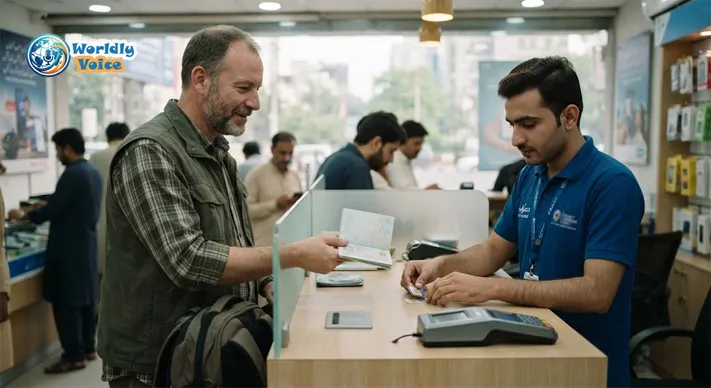
Zong’s published foreigner procedure specifically says foreign customers should visit a Zong Customer Service Centre or franchise with their original valid passport and valid visa or POC. The process includes obtaining the customer’s signature and thumb impression and scanning the required documents. Zong also states that SIM validity corresponds to the validity of the visa or POC and that a maximum of two SIMs can be issued to an individual under that procedure.
Jazz also lists the original passport and valid visa for foreign customers and says the customer’s presence is required for SIM purchase.
So, for a tourist, the practical approach is:
Use an official operator channel, take your original passport and valid visa, and be prepared to complete the required verification in person.
An online order may be useful for some services, but it should not be interpreted as permission to skip registration.
PTA SIM Card Biometric Verification Rules Explained
The PTA SIM card biometric verification rules are one of the most important parts of the process.
A mobile number is tied to a subscriber’s identity. Biometric verification helps ensure that the person receiving the connection is the person being registered for that number.
For a typical Pakistani customer, the process can be summarized as:
CNIC → biometric verification → successful verification → SIM activation
The same principle should be kept in mind when considering third-party sellers. A seller offering a SIM that supposedly does not require the customer’s identity verification is not offering the normal official registration process.
Operator documentation reinforces this requirement. Jazz states that biometric verification is required for SIM purchase and that activation follows successful biometric verification. Zong’s terms similarly require appropriate identity documents for SIM sale and activation.
This is why a legitimate online ordering process can still involve a physical verification step. The technology has moved the ordering stage online; it has not necessarily removed the subscriber verification stage.
How to Order a New Network SIM Online in Pakistan
If you are ordering a new network SIM online in Pakistan, the following process is a useful general guide.
1. Choose your network
Start by comparing network coverage in the places where you will actually use the SIM. A package that looks inexpensive is not particularly useful if the network performs poorly in your destination.
2. Go to the official operator website
Use the network’s official website or officially listed digital channel rather than an unknown social-media seller.
3. Select the SIM type
Depending on the operator, you may find options such as:
- New prepaid SIM
- Postpaid SIM
- Data SIM
- Number selection
- SIM replacement
- eSIM
Jazz’s current online ordering page lists new prepaid and postpaid SIMs starting from PKR 350, while its current page lists eSIM at PKR 1,500. Prices and services can change, so check the live operator page before paying.
4. Enter your information
Provide the requested contact and identification information accurately. Do not use someone else’s CNIC, passport or mobile identity information.
5. Complete the order
If the service supports delivery, enter the correct address and follow the operator’s payment instructions.
6. Complete biometric or identity verification
This is the step that should never be overlooked.
With Jazz’s current online SIM service, the delivery partner can use a biometric device during doorstep delivery, allowing the verification and activation process to be completed at the customer’s location.
7. Activate and test the connection
Once verification succeeds, insert the physical SIM or complete the eSIM installation. Test calls, SMS and mobile data before relying on the number.
Jazz, Zong and Ufone: What Should You Expect?
The operators do not necessarily offer identical purchasing procedures.
| Network | Physical SIM | Foreign-customer documentation | eSIM / verification |
|---|---|---|---|
| Jazz | Online ordering and physical outlets available | Original passport + valid visa for foreigners | eSIM available; biometric verification required |
| Zong | Physical SIM through official channels | Original valid passport + valid visa/POC | eSIM available; biometric verification required |
| Ufone | Physical SIM subject to its terms and procedures | Passport + valid visa/POC or other applicable document | Check current operator procedure |
Jazz currently provides one of the clearest online ordering options, including doorstep delivery and biometric activation through its delivery partner.
Zong’s published foreigner process, by contrast, specifically directs foreign customers to a Customer Service Centre or franchise.
That is why an article about buying a SIM online should avoid claiming that every Pakistani network offers identical remote registration.
How to Get an eSIM for Pakistan Travel
If your phone supports eSIM, you have another option.
But there is an important distinction between a Pakistani operator eSIM and an international travel eSIM.
A Pakistani operator eSIM normally gives you a local Pakistani mobile connection, potentially including a Pakistani number. An international travel eSIM may primarily provide mobile data and may not give you a Pakistani +92 number.
For travelers, that difference can be more important than the technology itself.
Pakistani operator eSIM
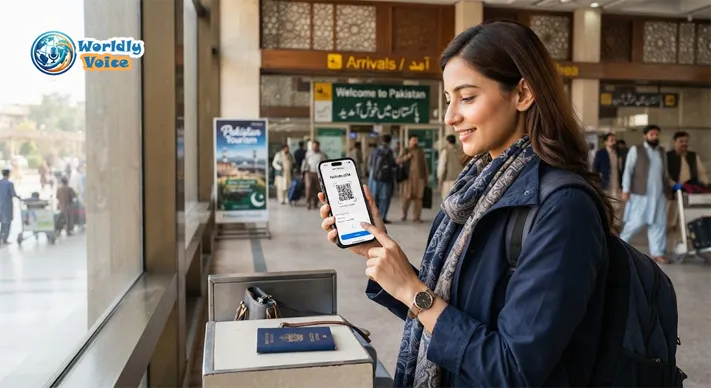
Jazz currently offers eSIM services and describes a process involving registration, biometric verification, QR-code delivery and installation on a compatible phone. Its current eSIM information says the eSIM can become active after the QR code is scanned following the required verification.
Zong also offers eSIM. Its current information states that biometric verification is required before eSIM activation and that the eSIM profile is downloaded after it has been mapped to the relevant mobile number. Zong currently lists an eSIM charge of PKR 2,000.
Zong official eSIM information
International travel eSIM
A travel eSIM can be convenient if you mainly need internet access as soon as you land. However, it may be data-only.
That means a traveler who needs:
- A Pakistani mobile number
- Local calls
- SMS verification
- Local operator services
may prefer a Pakistani operator’s SIM or eSIM rather than a travel-data product.
How to Activate a Pakistani eSIM
Once the operator has completed registration and provided the eSIM QR code, activation generally follows these steps:
- Confirm that your phone supports eSIM.
- Make sure the handset is unlocked.
- Connect to Wi-Fi or another working internet connection.
- Open the phone’s cellular or mobile-network settings.
- Select Add eSIM or Add Cellular Plan.
- Scan the operator’s QR code.
- Allow the eSIM profile to download.
- Select the new line for mobile data if required.
- Test mobile data, calls and SMS.
The exact menu names differ between iPhone and Android devices. Jazz and Zong both publish QR-based eSIM activation instructions, while biometric verification remains part of the registration process.
How Much Does a Pakistani SIM Cost?
There is no single nationwide price for every SIM.
The cost can depend on:
- Operator
- Prepaid or postpaid service
- Number category
- Physical SIM or eSIM
- Package or tariff
- Replacement or conversion requirements
For example, Jazz’s current online order page lists new prepaid SIMs from PKR 350 and eSIM at PKR 1,500. Zong’s current price page lists a new prepaid SIM at PKR 300 and eSIM at PKR 2,000.
Treat these as current operator-listed prices rather than permanent rates. Telecom companies can change prices, promotions and service availability.
SIM Registration and PTA Phone Registration Are Different
This is particularly important for international visitors.
Buying a Pakistani SIM does not automatically mean your foreign phone has been registered with PTA’s Device Identification, Registration and Blocking System (DIRBS).
DIRBS deals with the mobile device and its IMEI, rather than simply registering the SIM subscriber.
The Federal Board of Revenue explains that DIRBS identifies non-compliant devices operating on local mobile networks and provides procedures for mobile-device regularization.
For short-term foreign visitors and overseas Pakistanis, the government has also established a temporary registration facility for one mobile handset. The current FBR information says the applicant provides details including passport number, arrival date, intended departure date, a SIM issued in the applicant’s name and the device IMEI. The temporary facility is subject to its stated conditions and a 120-day period.
So remember:
SIM registration = subscriber identity
DIRBS registration = mobile device/IMEI
They are related to using a phone on a Pakistani network, but they are not the same process.
FBR temporary registration information for overseas Pakistanis and foreign visitors
What Should You Have Ready Before Buying?
Pakistani resident
Have your:
- Original CNIC
- Contact number
- Delivery details
- Payment method where required
- Availability for biometric verification
Foreign tourist
Keep your:
- Original passport
- Valid Pakistani visa or other qualifying document
- Relevant entry information
- Compatible, unlocked phone
- Internet connection for eSIM installation if applicable
Do not hand your passport or biometric information to an unknown online seller simply because they promise faster activation.
How Long Does Activation Take?
Activation time depends on the operator and verification method.
Jazz currently says its SIM is activated immediately after successful biometric verification. Its eSIM information similarly describes activation after biometric verification and QR-code scanning.
That does not necessarily mean the delivery will be immediate. Ordering, delivery and activation are separate stages.
If you are travelling, allow enough time to obtain and verify the connection rather than assuming an online order will instantly produce an active local number.
Avoid Unverified “Pre-Activated” SIMs
Be particularly cautious with online listings claiming:
- “No biometric required”
- “Anonymous Pakistani SIM”
- “Pre-activated SIM”
- “Foreign tourist SIM with no documents”
- “Guaranteed Pakistani number without verification”
The safest route is the official operator or an authorized service location.
There is also a practical security reason to avoid questionable sellers: your SIM is connected to your identity and can potentially be used for account recovery, SMS authentication and financial services. A SIM obtained through an unclear registration arrangement can create problems that are much harder to resolve later.
Which Option Is Best for You?
| Your situation | Practical choice |
|---|---|
| Pakistani resident | Official operator online order where available |
| Pakistani resident needing immediate activation | Authorized operator outlet |
| Foreign tourist needing a local number | Official local SIM/eSIM with required verification |
| Tourist needing data only | Consider a compatible travel eSIM |
| eSIM-compatible phone | Compare local operator eSIM with travel eSIM |
| Bringing an overseas phone | Check applicable DIRBS requirements separately |
| Wanting the simplest physical-SIM delivery | Check whether your chosen operator offers doorstep service |
Frequently Asked Questions
Can I buy a Pakistani SIM online?
Yes. Some operators offer online SIM ordering and delivery. Jazz currently provides an online ordering facility and says its delivery partner can perform biometric activation at the customer’s doorstep.
Can foreigners buy a Pakistani SIM?
Yes. Foreign visitors can obtain Pakistani SIMs subject to the operator’s documentation and verification requirements. Passport and valid visa or other qualifying documents may be required.
Can a foreigner get a Pakistani SIM without biometric verification?
You should not assume that. Operator procedures require identity verification, and some services require the foreign customer to appear at an authorized location. Zong’s current foreigner procedure, for example, directs customers to a Customer Service Centre or franchise.
Can I get a Pakistani eSIM for travel?
Potentially, yes, if your device supports eSIM and the operator’s current registration process is available to you. Local operator eSIMs may require biometric verification, so a travel-data eSIM can be a simpler alternative if you only need internet access.
Does buying a Pakistani SIM register my phone with PTA?
No. SIM registration and device/IMEI registration through DIRBS are separate matters. Foreign visitors using an overseas handset should check the applicable temporary device-registration rules separately.
How quickly is a Pakistani SIM activated?
With some operators, activation can occur immediately after successful verification. Jazz currently states that activation occurs immediately after successful biometric verification.
Conclusion
The simplest answer to How to Buy a Pakistani SIM Online: Requirements and Activation Guide is that online ordering is possible for some services, but Pakistan’s SIM-registration requirements still matter.
For Pakistani residents, an operator such as Jazz can make the process convenient by combining online ordering, doorstep delivery and biometric verification. Foreign visitors face additional documentation requirements and should not assume that an online purchase automatically means completely remote activation.
If you only need mobile data during a short trip, an international travel eSIM may be worth considering. If you need a Pakistani phone number for calls, SMS or local services, a locally registered SIM or eSIM is usually the more appropriate option.
Before placing an order, use the operator’s current official website, confirm the documents you need, check whether your phone supports the chosen SIM technology, and treat PTA/DIRBS device registration as a separate issue. That approach is more reliable than buying a supposedly “pre-activated” number from an unknown online seller.
References
- Jazz — Order a SIM — Current SIM pricing and online ordering information.
- Zong — SIM Issuance to Foreigners — Current foreign-customer documentation and issuance requirements.
- Federal Board of Revenue — Temporary Registration for Overseas Pakistanis and Foreigners — Government information on temporary DIRBS registration for foreign visitors and overseas Pakistanis.
