


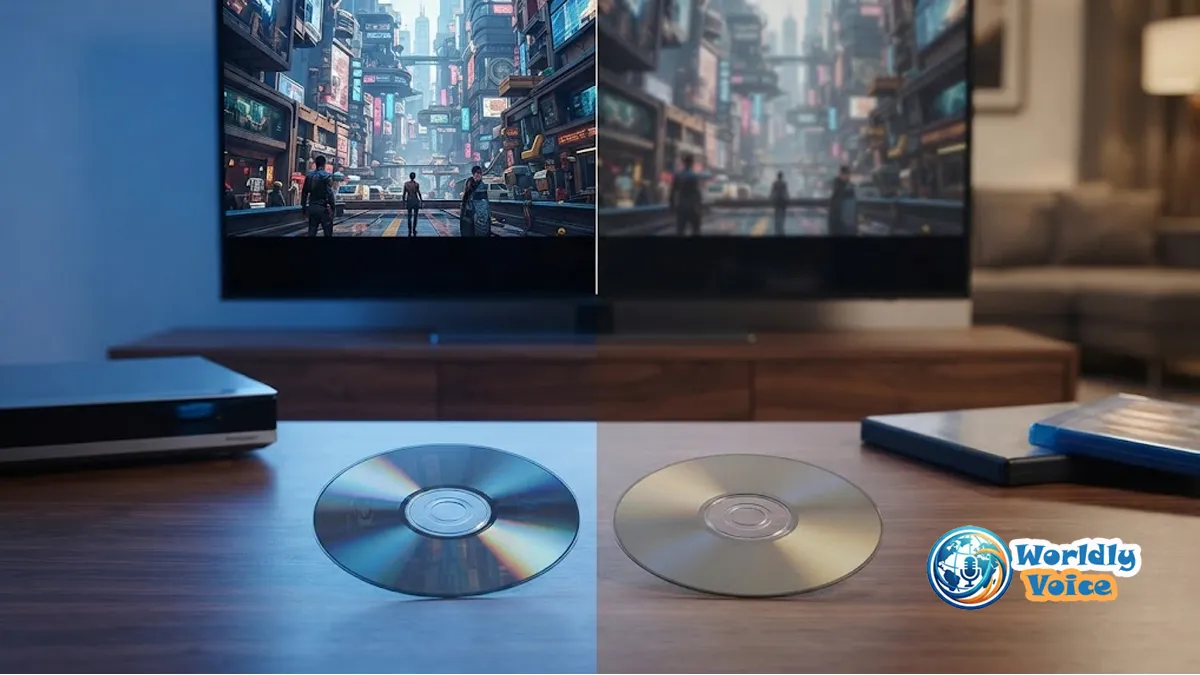
If you’ve ever stood in front of a movie shelf and wondered about blu ray vs dvd, you’re not alone. I’ve had that exact moment while rebuilding my own home media library. At first glance, both discs seem similar. They’re round, physical, and designed to hold movies. But once I compared them side by side on a modern TV and sound system, the difference became impossible to ignore.
For anyone building a home theater, archiving favorite films, or simply deciding whether older discs are still worth buying, this comparison matters. The gap between DVD and Blu-ray is not just marketing. It’s built into the format itself—through laser wavelength technology, disc storage capacity, compression methods, and audio support.
In this guide, I’ll break down the real-world resolution and audio difference blu ray and dvd, explain do standard dvd players play bluray discs, compare 1080p blu ray vs 4k ultra hd and standard dvd, and look at storage capacity and durability blu ray vs dvd so you can make the right choice for your setup.
If you’re also building a media workstation to organize digital backups or movie rips, related hardware reads like Best Laptop GPUs for 4K Video and Clevo NH70 Review 2026 can help round out your setup.
1. Blu-Ray vs DVD Starts With the Technology Inside the Disc
The biggest reason Blu-ray beats DVD in quality comes down to how data is read.
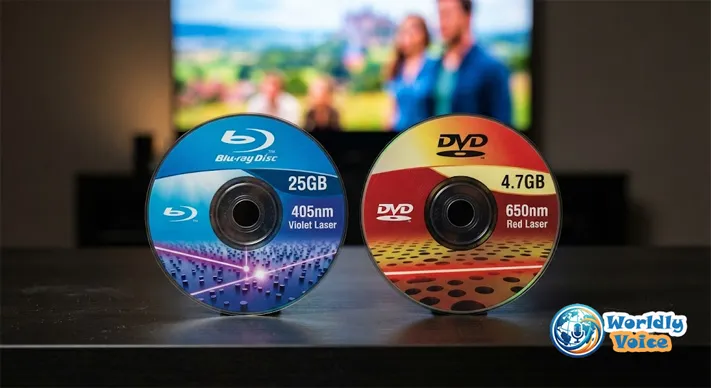
A DVD uses a red laser with a wavelength of about 650 nanometers. A Blu-ray disc uses a much finer blue-violet laser at around 405 nanometers. That smaller beam can read much tinier data pits packed more closely together on the disc surface.
In simple terms, Blu-ray fits more information into the same-sized disc.
That single advancement changed everything:
- Higher video resolution
- Better compression efficiency
- More room for bonus features
- Support for lossless surround sound
- Higher bitrates with fewer visual artifacts
In my experience, this is the core of the blu ray vs dvd debate. DVD was built for older standard-definition televisions. Blu-ray was designed for the HDTV era.
2. Resolution and Video Quality: Why Blu-Ray Looks Sharper
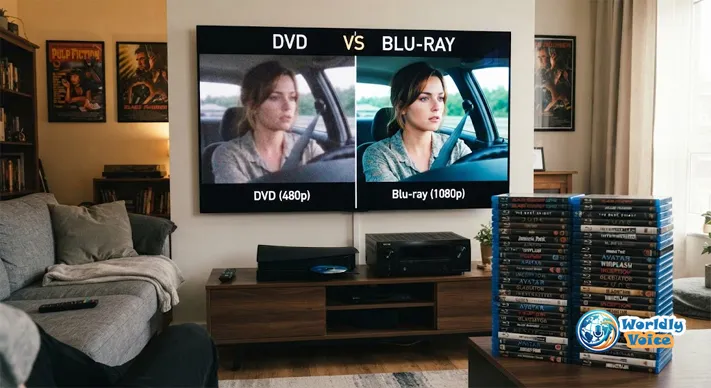
When I first tested the same film on DVD and Blu-ray on a 55-inch TV, the difference showed up immediately in faces, fabric textures, shadows, and background detail. DVD looked softer. Blu-ray looked cleaner and more stable.
DVD Resolution Limits
A standard DVD typically outputs video at:
- 720 × 480 pixels in NTSC regions
- 720 × 576 pixels in PAL regions
That means DVD is standard definition, often referred to as 480p or 576p depending on region and playback method.
DVD also usually relies on MPEG-2 compression. It was excellent for its time, but it’s far less efficient than newer codecs.
Blu-Ray Resolution Advantage
A standard Blu-ray offers:
- 1920 × 1080 pixels
- Full HD 1080p resolution
- Better codecs such as MPEG-4 AVC or VC-1
That jump is dramatic. Blu-ray delivers far more image data, which means finer edges, better color stability, and less blockiness during fast motion.
This is the clearest example of the resolution and audio difference blu ray and dvd. On a smaller screen, the gap may look modest. On a large HDTV or projector, it becomes obvious.
Real-world example
I noticed the biggest improvement in:
- Dark scenes with subtle lighting
- Landscapes with fine detail
- Action sequences with fast movement
- Older films restored from original negatives
A well-mastered Blu-ray often feels closer to cinema. A DVD can still be watchable, but on modern displays it often reveals its age.
3. Audio Quality: Blu-Ray Delivers More Immersion
Picture quality gets most of the attention, but sound is where Blu-ray can feel truly premium.
DVDs usually support compressed formats like:
- Dolby Digital
- DTS 5.1
These can still sound good, especially on modest speakers. But they are usually lossy. That means some audio data is removed to save space.
Blu-ray, by contrast, supports advanced codecs including:
- Dolby TrueHD
- DTS-HD Master Audio
- LPCM
- Dolby Atmos
- DTS:X
This is where lossless surround sound changes the experience. You get cleaner separation between channels, more accurate detail, and greater dynamic range.
I’ve tested this with concert discs and action films. On DVD, the audio often sounds flatter and more compressed. On Blu-ray, dialogue sits more naturally, bass feels tighter, and ambient effects have more space around them.
For anyone using a soundbar, AV receiver, or dedicated speaker system, the resolution and audio difference blu ray and dvd is not just technical. It’s audible.
4. Do Standard DVD Players Play Blu-Ray Discs?
This is one of the most common questions I hear: do standard dvd players play bluray discs?
The short answer is no.
A standard DVD player cannot play a Blu-ray disc because the hardware is different. The laser in a DVD player is too broad to read the tightly packed data on a Blu-ray disc.
Why the hardware barrier exists
- DVD players use red laser technology
- Blu-ray discs require blue-violet laser technology
- Blu-ray data pits are much smaller and denser
So, do standard dvd players play bluray discs? No. Not in normal circumstances, and not through a firmware update alone.
The reverse is more flexible
Blu-ray players are usually backward compatibility champions. Most can play:
- Blu-ray discs
- DVDs
- CDs
Many also upscale DVDs to look better on HD displays. This won’t turn a DVD into native Blu-ray quality, but it can smooth jagged edges and improve presentation.
That’s an important practical point in the blu ray vs dvd conversation. If you own a Blu-ray player, your old DVD collection doesn’t become useless.
5. 1080p Blu-Ray vs 4K Ultra HD and Standard DVD
To understand where Blu-ray sits today, it helps to compare all three major home video tiers.
Format comparison table
| Feature | Standard DVD | 1080p Blu-ray | 4K Ultra HD Blu-ray |
|---|---|---|---|
| Native Resolution | 480p | 1080p | 2160p |
| Pixel Dimensions | 720 × 480 | 1920 × 1080 | 3840 × 2160 |
| Compression | MPEG-2 | AVC / VC-1 / MPEG-2 | HEVC / H.265 |
| Dynamic Range | SDR | SDR | HDR10 / Dolby Vision |
| Audio Support | Dolby Digital, DTS | Dolby TrueHD, DTS-HD MA | Dolby Atmos, DTS:X, TrueHD |
| Typical Disc Capacity | 4.7 GB / 8.5 GB | 25 GB / 50 GB | 66 GB / 100 GB |
| Best Use Case | Legacy players, budget collections | Full HD home theater | Premium 4K home theater |
This makes the 1080p blu ray vs 4k ultra hd and standard dvd comparison easier to understand.
Where standard Blu-ray still shines
Even in the age of streaming and 4K discs, 1080p Blu-ray remains a sweet spot. In my experience, it offers:
- Excellent sharpness
- Reliable playback
- Strong value in used and new markets
- Better consistency than many compressed streams
Where 4K Ultra HD Blu-ray goes further
A 4K Ultra HD Blu-ray adds:
- Four times the pixel count of 1080p
- HDR support like HDR10 or Dolby Vision
- Wider color range
- Higher peak brightness on compatible TVs
So when weighing 1080p blu ray vs 4k ultra hd and standard dvd, the real hierarchy is clear:
DVD is legacy SD media.
Blu-ray is high-definition optical media.
4K UHD Blu-ray is the premium enthusiast format.
6. Storage Capacity and Durability: Blu-Ray vs DVD
Another major advantage is storage capacity and durability blu ray vs dvd.
Storage capacity differences
DVD capacity:
- Single-layer: 4.7 GB
- Dual-layer: 8.5 GB
Blu-ray capacity:
- Single-layer: 25 GB
- Dual-layer: 50 GB
4K UHD Blu-ray:
- Triple-layer: 66 GB
- Quad-layer: 100 GB
That extra disc storage capacity matters. It allows Blu-ray to store:
- Higher bitrates
- Better soundtracks
- Multiple language tracks
- More extras without heavy compression
This is one reason Blu-ray often looks and sounds more refined than DVD.
Durability in daily use
When I handled older DVD collections, I found surface scratches were a common issue. DVDs place their data layer closer to the surface, which can make them more vulnerable.
Blu-ray discs are typically coated with tougher protective layers. Some manufacturers, including formats associated with Sony’s Blu-ray ecosystem, used advanced hard-coating technologies like Durabis to improve scratch resistance.
So in the storage capacity and durability blu ray vs dvd debate, Blu-ray usually has the edge in both data density and physical resilience.
That said, neither format is indestructible. I still recommend:
- Keeping discs in cases
- Avoiding extreme heat
- Handling by the edges
- Cleaning with a soft microfiber cloth
If you’re comparing storage across vintage and modern devices, niche hardware discussions such as Akai DR8 Storage can also be useful when thinking about long-term media preservation.
7. Blu-Ray vs DVD for Collectors, Families, and Casual Viewers
Not everyone needs the same format. I’ve seen this decision vary based on budget, equipment, and viewing habits.
Blu-ray is best for you if:
- You have a Full HD or 4K TV
- You care about image sharpness
- You use a soundbar or surround setup
- You want bonus features and better mastering
- You value long-term collecting
DVD may still make sense if:
- You use an older TV
- You need the cheapest available disc option
- You’re buying children’s titles or casual rewatches
- You already own a DVD-only player
For many households, the smartest move is mixed ownership. I still keep some rare titles on DVD because they’ve never received a better release. But for movies I truly love, I almost always choose Blu-ray.
That practical middle ground is often missing from the blu ray vs dvd conversation. Format quality matters, but so does catalog availability.
8. Streaming vs Physical Media: Why Blu-Ray Still Matters
A lot of people assume streaming made this discussion irrelevant. I don’t think that’s true.
Streaming is convenient. But bitrates are often lower, audio may be compressed, and titles can disappear from platforms overnight. Physical discs still offer reliability.
Blu-ray remains valuable because it gives you:
- Consistent quality
- Ownership without licensing risk
- Better audio than most streaming plans
- No dependence on internet speed
This matters even more if you’re building a hybrid setup with local playback hardware. For example, system-focused articles like HP 4wd8sua Specs can help if you’re choosing a machine for media playback, file management, or home entertainment duties.
FAQs
1. Is Blu-ray really better than DVD?
Yes. In most cases, Blu-ray offers much sharper video, better compression, and support for lossless surround sound. On modern TVs, the difference is usually easy to see.
2. Do standard dvd players play bluray discs?
No. Standard DVD players cannot read Blu-ray discs because they use different laser wavelength technology. Blu-ray players, however, usually support backward compatibility with DVDs.
3. Is 1080p Blu-ray enough, or should I go 4K?
For many people, 1080p Blu-ray is still excellent. If you own a large 4K TV and want HDR plus the highest detail, 1080p blu ray vs 4k ultra hd and standard dvd becomes an easy decision in favor of 4K UHD.
4. What is the biggest resolution and audio difference blu ray and dvd?
The biggest differences are Full HD 1080p resolution on Blu-ray versus standard-definition DVD, plus Blu-ray’s support for advanced formats like Dolby TrueHD and DTS-HD Master Audio.
5. How does storage capacity and durability blu ray vs dvd compare?
Blu-ray holds far more data and is generally more scratch-resistant. DVDs top out at 8.5 GB on dual-layer discs, while Blu-ray commonly offers 25 GB or 50 GB, with UHD versions reaching 100 GB.
6. Are DVDs becoming obsolete?
Not entirely. DVDs are still sold and remain useful for older players and budget buyers. But for quality-focused home viewing, Blu-ray is the stronger choice.
References
Final Verdict: Which Format Should You Choose?
After years of testing discs across different TVs, players, and speaker setups, my answer is simple: if quality matters, Blu-ray wins.
The core blu ray vs dvd decision comes down to what you value most. DVD is cheaper and still serviceable for basic viewing. But Blu-ray offers a major upgrade in clarity, color stability, compression efficiency, and sound. The resolution and audio difference blu ray and dvd is real, especially on modern screens and home theater systems. Add stronger storage capacity and durability blu ray vs dvd, and Blu-ray becomes the more future-friendly choice.
If you’re wondering do standard dvd players play bluray discs, remember that hardware compatibility still matters before buying. And if you’re comparing 1080p blu ray vs 4k ultra hd and standard dvd, standard Blu-ray remains the best value point for many households, while 4K UHD is ideal for enthusiasts.
My advice? If it’s a favorite movie, buy the best version you can reasonably enjoy on your current setup. That usually means Blu-ray. And if you’re upgrading the rest of your media ecosystem, pairing this decision with guides like Best Laptop GPUs for 4K Video, Clevo NH70 Review 2026, or Akai DR8 Storage can help you build a more complete home media strategy.
