


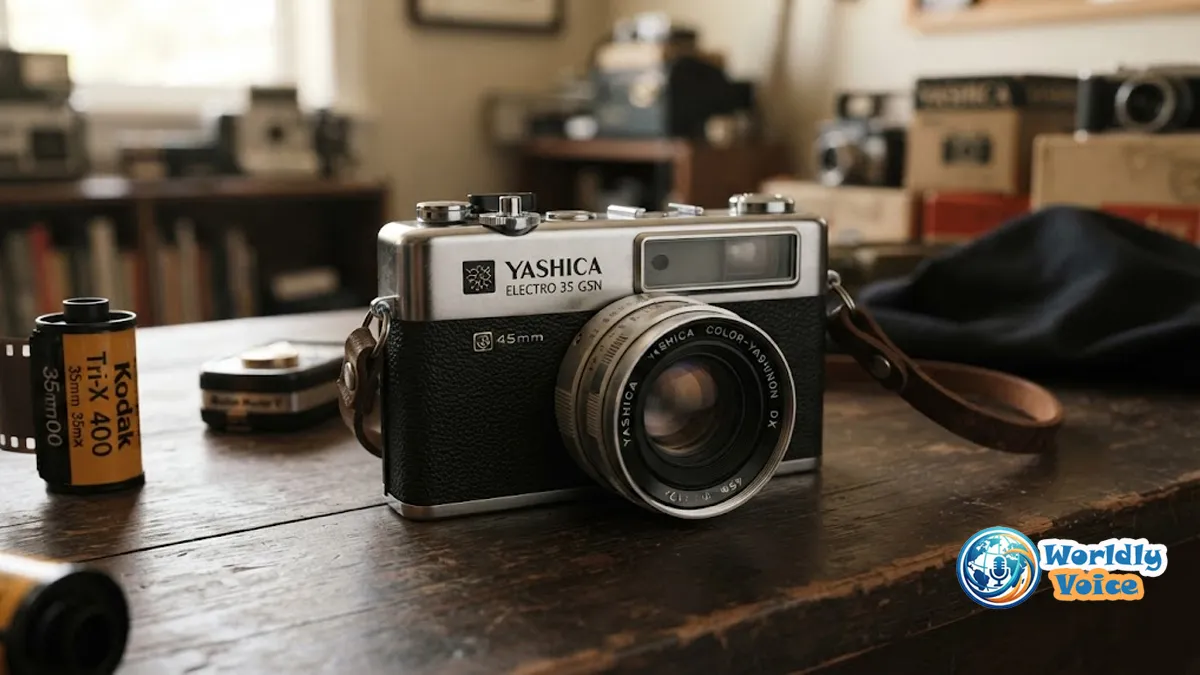
The Yashica Electro 35 is the kind of camera that makes you slow down the moment you pick it up. Its heavy metal body, bright rangefinder, physical aperture ring, and quiet electronic shutter feel completely different from modern digital cameras. Yet the design was surprisingly forward-looking when it appeared in the 1960s. Yashica combined a fixed 45mm f/1.7 lens with aperture-priority automatic exposure and electronic shutter control, creating a 35mm rangefinder that was sophisticated without being difficult to operate.
That combination is exactly why the camera still attracts photographers today. You get the character of vintage film photography without having to calculate every shutter speed manually.
In this Yashica Electro 35 review, I’ll walk through its history, specifications, focus system, viewfinder, battery requirements, film loading, ASA adjustment, common faults, current buying considerations, and the practical workflow that makes this classic rangefinder so enjoyable.
1. Yashica Electro 35 Release History: Why This Camera Mattered
The Yashica Electro 35 release history begins in 1966. It was developed around an unusual idea for its time: let the photographer choose the aperture while electronic circuitry continuously determines the appropriate shutter duration.
That sounds ordinary today. In the 1960s, it wasn’t.
The original Electro 35 used a CdS light-sensitive system and an electronically controlled leaf shutter. Its automatic exposure range extended from roughly 30 seconds to 1/500 second, allowing the camera to select shutter durations continuously rather than being restricted to a conventional series of mechanical speeds.
Yashica subsequently refined the design through several generations:
| Model | Introduction | Notable change |
|---|---|---|
| Electro 35 | 1966 | Original design |
| Electro 35 Professional | 1966 | Black-finish version |
| Electro 35 G | 1968 | Updated G-series |
| Electro 35 GT | 1969 | Black G-series body |
| Electro 35 GS/GT | 1970 | Gold-plated electrical contacts; wider ASA range |
| Electro 35 GSN/GTN | 1973 | Hot shoe added |
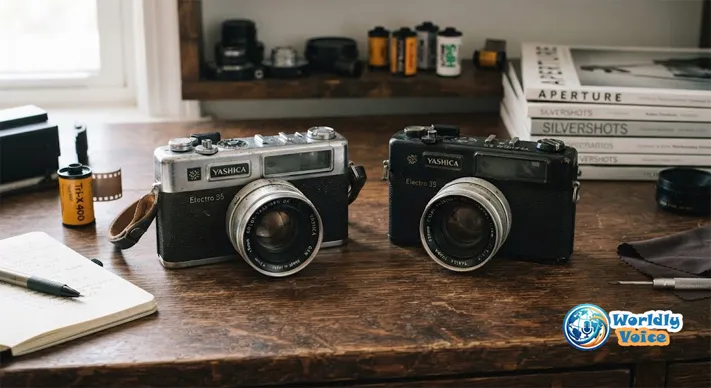
The GSN and GTN are particularly common on today’s used market. The GSN has a chrome finish, while the GTN uses a black finish. Both have a hot shoe and support film speeds up to ASA 1000.
For collectors, the original 1966 model has obvious historical appeal. For someone who simply wants to shoot film, I would usually pay more attention to condition than production year.
2. Yashica Electro 35 Price and Specs
The Yashica Electro 35 price and specs vary considerably depending on the exact generation and, more importantly, condition.
A clean camera that has been tested and serviced is a very different proposition from an attractive-looking body described only as “untested.”
For a later G-series camera such as the GSN, the headline specifications include:
- Camera type: 35mm coupled rangefinder
- Lens: 45mm f/1.7 Yashinon/Color-Yashinon
- Optical construction: 6 elements in 4 groups
- Focus: Manual coupled rangefinder
- Minimum focus: approximately 0.8 m
- Exposure: Aperture-priority automatic
- Shutter: electronically controlled Copal leaf shutter
- Automatic range: approximately 1/500 sec to 30 sec
- Film: 35mm
- Meter: CdS-based electronic metering system
- Filter thread: 55mm
- Flash: PC synchronization; GSN/GTN also have a hot shoe
- ASA range: 25–1000 on the later GS/GSN/GTN generation
- Weight: roughly 750–800 g depending on model and configuration
The famous Yashica Electro 35 45mm f/1.7 lens is arguably the camera’s greatest attraction. It provides a natural field of view that works beautifully for street photography, travel, portraits, family photographs, and documentary work.
The lens is also fast enough to make available-light photography practical.
For reference, the GSN’s published specifications list a 45mm f/1.7 lens, manual rangefinder focusing, aperture-priority exposure, and an automatic shutter range of approximately 1/500 to 30 seconds.
What is a Yashica Electro 35 worth in 2026?
There is no universal price.
Current enthusiast-market examples show how widely values can vary. Recent 2026 community listings have included working GSN cameras around the $75 range and other ordinary examples around $50–$180 depending on condition.
As a practical buying framework, I would think about the market this way:
- Untested/as-is: approximately $30–$70
- Working but unserviced: approximately $60–$150
- Clean and tested: approximately $100–$200
- Serviced/CLA’d: approximately $180–$350+
- Exceptional kits or collectible examples: potentially higher
These are buying bands, not formal valuations. Regional markets can be dramatically different.
The important lesson is simple: buy the condition, not the badge.
3. Yashica Electro 35 Viewfinder and Focus System
The Yashica Electro 35 viewfinder is one of the reasons this camera feels so different from a conventional SLR.
Instead of looking through a focusing screen, you use a coupled rangefinder. The central portion of the viewfinder displays two overlapping images. When the images don’t coincide, the subject is out of focus.
Turn the focusing ring and watch the two images move together.
When they overlap, you’re focused.
That’s the entire principle.
The Yashica Electro 35 focus system is especially satisfying for portraits. Put the rangefinder patch over an eye, rotate the focusing ring until the image aligns, then recompose if necessary.
The later cameras also provide bright frame lines, with parallax compensation that helps account for the difference between the viewfinder’s position and the lens’s actual viewpoint. The minimum focusing distance is approximately 0.8 m.
When evaluating a used camera, I look at the rangefinder as carefully as the lens.
Check that:
- the focusing ring turns smoothly;
- the central rangefinder patch is visible;
- the two images merge correctly;
- the patch remains reasonably clear at different distances;
- the mechanism doesn’t feel excessively loose or stiff.
A beautiful lens cannot compensate for a badly misaligned rangefinder.
4. The Electro 35 Electronic Shutter Explained Simply
The Yashica Electro 35 shutter mechanism is central to the camera’s identity.
The camera uses an electronically controlled Copal leaf shutter. Instead of choosing from a fixed sequence such as 1/30, 1/60, 1/125 and 1/250 second, the electronic system can control the exposure continuously across its automatic range.
Think of it like a dimmer switch instead of a light switch.
A conventional mechanical shutter gives you distinct settings. The Electro 35’s electronic system can choose a duration between those familiar boundaries.
This gives the camera two major advantages.
First, operation is remarkably quiet.
Second, the exposure system can make fine adjustments without requiring the photographer to select an exact shutter speed.
The downside is obvious today: electronics age.
A dead battery, corroded contact, damaged wiring, failed meter components, or mechanical problems can interfere with exposure.
That is why hearing the shutter move is not enough when buying one.
5. Yashica Electro 35 ASA Adjustment
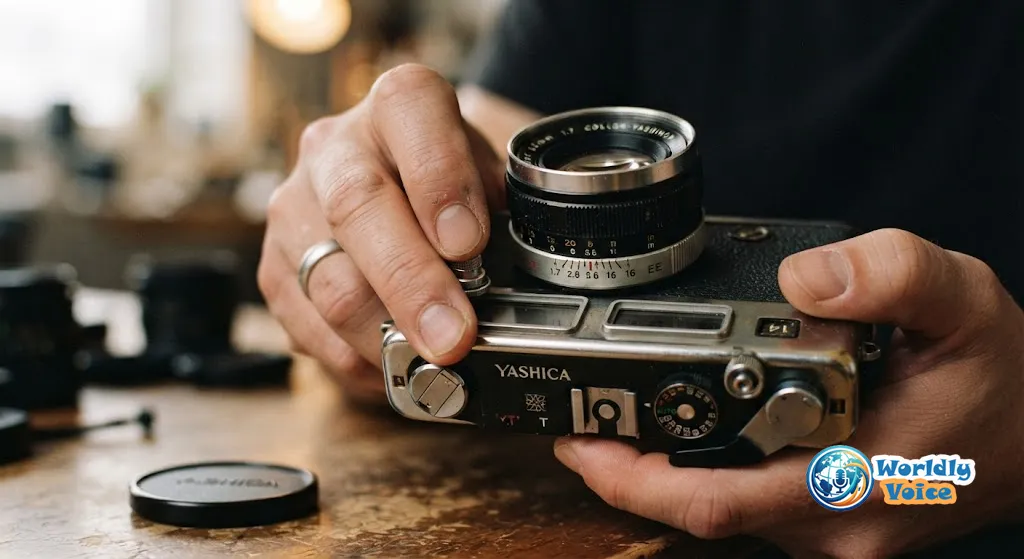
The Yashica Electro 35 ASA adjustment tells the exposure meter how sensitive your film is.
ASA is the older term for what we now normally call ISO.
If you’re loading ISO 200 film, set the camera to ASA 200.
If you’re loading ISO 400 film, set it to ASA 400.
But there is an important historical detail: not every Electro 35 has the same ASA range.
The original model is commonly documented with a range beginning around ASA 12, while later generations expanded the available settings. The GS, GT, GSN and GTN generation supports up to ASA 1000.
The ASA control can also be deliberately altered for exposure compensation.
For example, if I wanted the meter to give less exposure to ISO 100 film, I could set the camera to a higher ASA value. Setting a lower ASA has the opposite effect.
It’s useful, but I would treat this as an intentional exposure-control technique rather than something to change casually.
6. Yashica Electro 35 Battery Replacement
The Yashica Electro 35 battery replacement question is unavoidable because the original camera was designed around a 5.6V mercury battery, which is no longer a normal consumer battery.
Modern owners therefore use adapters or contemporary battery solutions designed for the particular Electro 35 generation.
I would never install a random battery simply because it physically fits.
Instead:
- Identify the exact camera model.
- Check its original battery specification.
- Use a purpose-designed adapter or compatible replacement solution.
- Inspect the battery compartment for corrosion.
- Check the electrical contacts.
- Test the battery-check circuit.
- Test the exposure indicators before loading valuable film.
This matters because a camera that appears completely dead may simply have dirty or corroded contacts.
The original manual also specifically advised removing the battery during long-term storage.
For detailed operating information, the Yashica Electro 35 manual is worth keeping alongside the camera.
7. How to Open Yashica Electro 35 Film Compartment
Learning how to open Yashica Electro 35 film compartment safely is easier than it first appears.
The exact mechanism varies slightly between generations, so don’t force the back if it doesn’t behave as expected.
For the familiar design:
- Make sure the existing roll has been completely rewound.
- Lift the film-rewind knob.
- Use the rewind mechanism to release the back.
- Place the 35mm cartridge into the film chamber.
- Pull the film leader across to the take-up spool.
- Engage the perforations with the sprocket.
- Advance the film gently.
- Close the back securely.
- Advance until the counter reaches the starting frame.
- Watch the rewind knob while advancing to confirm that film is moving.
That last check is easy to overlook.
If the rewind knob turns as you advance, you have a useful indication that the film is properly engaged.
Never force the advance lever or rewind crank. Vintage film transport mechanisms are old, and unnecessary force can turn a simple loading mistake into a repair.
For a first test roll, an affordable, forgiving film such as Kodak Gold 200 can be a sensible starting point; our Kodak Gold 200 Review provides useful context on what to expect from that popular color-negative stock.
8. How to Use Yashica Electro 35: A Simple Workflow
The how to use Yashica Electro 35 process becomes almost second nature after a few rolls.
Step 1: Check the battery
Confirm the correct battery solution is installed and use the camera’s battery-check function.
Step 2: Load film
Load a 35mm roll and advance it to the first usable frame.
Step 3: Set ASA
Match the ASA dial to the film’s ISO rating.
Step 4: Choose an aperture
Use a wide aperture such as f/1.7 in low light or when you want a shallower depth of field.
Use f/5.6, f/8 or f/11 when you have more light and want greater depth of field.
Step 5: Focus
Look through the rangefinder and align the two images.
Step 6: Check exposure
Half-press the shutter release.
The warning indicators help tell you whether your selected aperture is pushing the automatic shutter toward an undesirable extreme.
A slow-exposure warning means you may want to open the aperture.
An overexposure warning means stopping down may bring the exposure back into the normal range.
Step 7: Shoot
Press the shutter release smoothly.
Step 8: Advance
Wind to the next frame.
That’s the Electro 35 experience in one line:
Set aperture → focus → check exposure → shoot → advance.

9. The Yashica Electro 35 Pad of Death and Other Problems
No honest Yashica Electro 35 review should ignore reliability.
The most famous issue is the Yashica Electro 35 Pad of Death.
The name sounds dramatic, but it refers to a small internal rubber component associated with the camera’s mechanical control system. As the rubber deteriorates, the mechanism can behave incorrectly.
Other things deserve attention too:
Lens
Look for:
- fungus;
- haze;
- separation;
- deep scratches;
- excessive dust.
Minor dust is normal for a camera this old. Fungus and haze are much more concerning.
Rangefinder
Check alignment at both near and distant subjects.
Light meter
Test the warning lights under different lighting conditions and aperture settings.
Film transport
The advance lever should move normally. The rewind knob should respond as film advances.
Light seals
Old foam can deteriorate and cause light leaks.
Electronics
Don’t assume a shutter that fires means the complete exposure system works.
Enthusiast discussions in 2026 continue to show why tested examples command a premium: buyers regularly encounter cameras with light-seal, shutter, or Pad-of-Death concerns.
This is where the distinction between a bargain and a good deal becomes important.
A $40 camera requiring a major repair may be more expensive than a $140 camera that is ready to shoot.
10. Yashica Electro 35 GSN vs GTN: Which Should You Buy?
The Yashica Electro 35 GSN vs GTN comparison is refreshingly simple.
The GSN is the chrome-finish version.
The GTN is the black-finish version.
Both belong to the final major Electro 35 generation introduced in 1973, and both have the hot shoe and ASA range extending to 1000.
For most buyers, I would choose based on:
- Condition
- Service history
- Rangefinder accuracy
- Lens condition
- Meter function
- Shutter behavior
- Price
The finish comes much later.
If you want historical significance, the original 1966 Electro 35 is fascinating.
If you want the easiest version to recommend for everyday shooting, a tested GSN or GTN is a strong choice.
11. Why the Electro 35 Still Works Today
The camera’s appeal isn’t really about specifications.
It’s about balance.
The Yashica Electro 35 aperture priority system gives you control without making you calculate every exposure.
The rangefinder gives you precise manual focus without requiring an SLR focusing screen.
The 45mm f/1.7 lens gives you enough speed for evening photography.
And the leaf shutter keeps the camera comparatively quiet.
There are compromises, of course.
The body is heavy.
The battery situation is inconvenient.
The electronics are now more than five decades old.
There is no conventional full-manual exposure mode.
And a vintage camera can always develop another fault tomorrow.
But those limitations are part of the equation.
The Electro 35 isn’t trying to compete with a modern mirrorless camera. It offers something completely different.
If you enjoy exploring other classic 35mm systems, the Canon AE-1 Program Review is a useful comparison because Canon approached automated exposure from a very different design philosophy.
And if your interest extends beyond Japanese 35mm cameras, The Afghan Box Camera offers a fascinating look at an entirely different tradition of analog image-making.
Frequently Asked Questions
Is the Yashica Electro 35 good for beginners?
Yes, provided you buy a working example. Aperture-priority exposure makes the learning curve gentler than fully manual cameras, while the rangefinder teaches useful focusing skills.
Does the Yashica Electro 35 work without a battery?
Do not treat it as a normal battery-free camera. The electronically controlled exposure system requires power for normal operation, and the shutter behavior without a battery is not equivalent to having a conventional mechanical camera.
What film should I use in a Yashica Electro 35?
Any compatible 35mm film can work. ISO 200 or ISO 400 negative film is a practical starting point because those speeds cover a wide range of everyday lighting.
Is the Yashica Electro 35 GSN better than the original?
Not necessarily. The GSN is newer and adds features such as a hot shoe and a wider ASA range, but a properly serviced original can be an excellent camera.
What is the biggest problem with an Electro 35?
The combination of aging electronics, battery-related issues, degraded seals and the Pad of Death deserves the most attention when buying a used example.
Is a Yashica Electro 35 worth buying in 2026?
Yes—if it works. A tested or serviced camera is far more attractive than a cosmetically perfect but untested example.
Final Verdict: Should You Buy a Yashica Electro 35?
The Yashica Electro 35 remains one of the most interesting vintage 35mm rangefinders because its original idea still makes sense.
Choose the aperture.
Focus manually.
Let the electronic system handle the shutter.
Watch the exposure warnings.
Then make the photograph.
That’s a remarkably elegant workflow.
The camera’s weaknesses are mostly consequences of age rather than poor original design. Mercury batteries disappeared from normal consumer use. Foam seals deteriorate. Rangefinders need adjustment. Electronics can fail. The Pad of Death can become a problem.
But a healthy camera can still be a wonderful photographic companion.
If I were buying one today, I would prioritize a tested GSN or GTN with a clean 45mm f/1.7 lens, accurate rangefinder, functioning meter, reliable film transport and a documented battery solution. I would gladly pay more for that combination rather than gamble on the cheapest untested listing.
The Yashica Electro 35 isn’t the smallest rangefinder, the newest camera, or the simplest vintage camera to maintain.
It is something more interesting: a camera that successfully bridged mechanical photography and electronic automation decades before those ideas became commonplace.
For the right photographer, that is exactly why it is still worth using.
Quick Yashica Electro 35 Verdict
Best features: 45mm f/1.7 lens, coupled rangefinder, aperture-priority exposure, quiet electronic leaf shutter and excellent handling.
Biggest concerns: obsolete original battery, aging electronics, Pad of Death, deteriorated light seals and possible rangefinder misalignment.
Best version for most buyers: GSN or GTN, preferably tested or serviced.
Typical 2026 used price: roughly $50–$180 for many ordinary examples, with serviced examples potentially reaching $200–$350 or more.
Overall rating: 8.5/10 for the right buyer
The most important advice is also the simplest: don’t buy the cheapest Electro 35. Buy the healthiest one you can afford.
Suggested Schema.org Markup
For semantic SEO, this article is best represented primarily with Article schema, supported by FAQPage schema for the FAQ section. The article can also use Product-style entity information where appropriate for the camera itself, with properties such as brand, model, category, release era and image. This structure can help search engines distinguish the camera entity from the surrounding editorial review.
Trusted References
- Yashica Electro 35 release history — the Yashica Guy chronology provides detailed model-by-model information and technical specifications. Yashica Electro 35 release history
- Yashica Electro 35 manual — an accessible reference for operation and model-specific controls. Yashica Electro 35 manual
- Yashica Electro 35 price and specs — a useful independent specification reference covering generations, lens and film-speed differences. Yashica Electro 35 price and specs
