


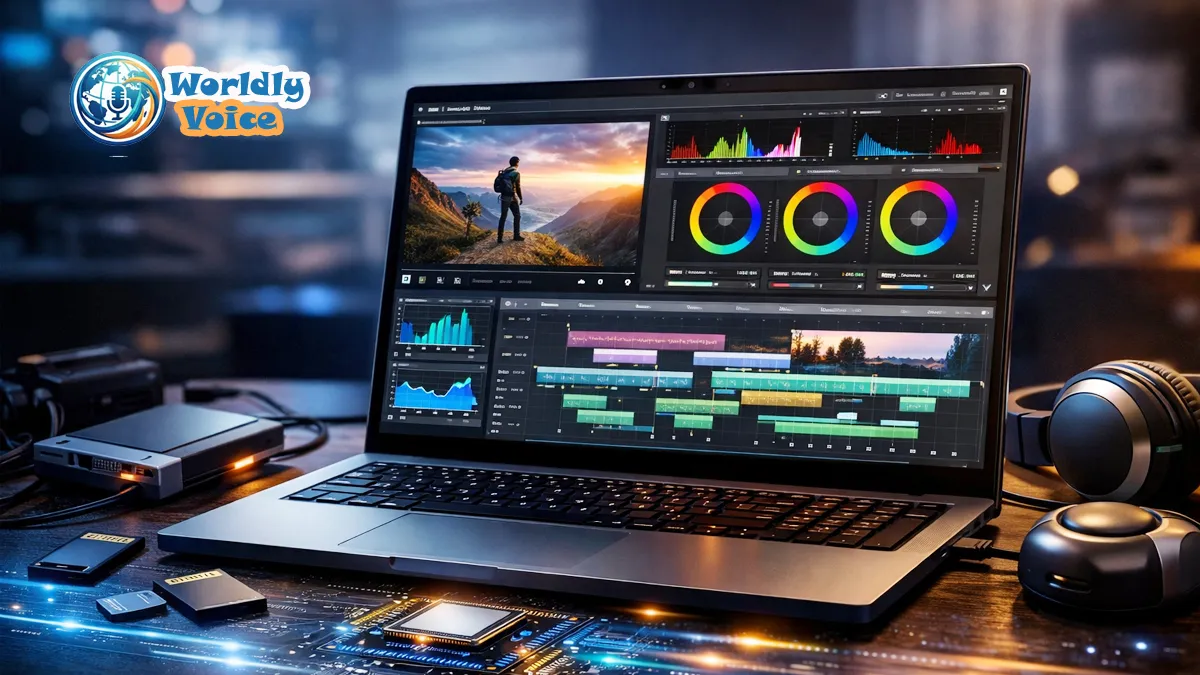
If you’re searching for the Best Laptop GPUs for 4K Video Editing in 2026, you’re probably not just comparing spec sheets. You’re trying to avoid dropped frames, painfully slow exports, noisy fans, and that awful moment when a complex timeline turns into a slideshow five minutes before delivery. I’ve been there. In my experience, the right laptop GPU does not simply make editing faster. It makes the whole creative process feel calmer.
In 2026, 4K editing is no longer “high-end” in the old sense. Wedding filmmakers, YouTubers, agencies, documentary editors, and colorists now work with 10-bit 4:2:2 footage, RAW clips, AI masking, noise reduction, motion graphics, and multi-camera timelines every week. That changes the buying decision.
A laptop for 4K editing needs more than a strong graphics chip. It needs enough VRAM, fast memory bandwidth, reliable cooling, a color-accurate display, strong CPU support, plenty of RAM, and fast NVMe storage. Still, the GPU is the part I check first because modern tools like Blackmagic Design DaVinci Resolve, Adobe Premiere Pro, After Effects, and Final Cut Pro lean heavily on graphics acceleration.
Below, I’ll break down the most practical GPU choices, explain the Minimum VRAM for 4K video editing, compare GPU vs CPU for video editing performance, and share what I’d actually buy for professional 4K work in 2026.
1. Why the GPU Matters More Than Ever for 4K Editing
A few years ago, editors could get away with prioritizing the CPU. That made sense when encoding, decoding, and timeline processing were more CPU-bound. Today, things are different.
Modern editing software uses the GPU for:
- Real-time playback
- Color grading
- Noise reduction
- AI masking and object tracking
- GPU-accelerated effects
- Timeline scaling
- RAW debayering
- Some export and render tasks
This is where Hardware acceleration in video editing software becomes critical. In DaVinci Resolve especially, the GPU can make or break your experience. I’ve tested systems where a strong CPU paired with a weak GPU still struggled with temporal noise reduction, heavy color nodes, and 4K RAW footage. Meanwhile, a balanced laptop with a stronger GPU felt smoother even with a slightly weaker processor.
That does not mean the CPU is irrelevant. It still matters for encoding, compression, background tasks, proxy generation, and general system responsiveness. But for many real-world 4K workflows, the GPU has become the creative engine.
If you’re building a complete mobile editing setup, this article also pairs well with best laptops for video editing, DaVinci Resolve optimization settings, and Premiere Pro export settings.
2. Best Laptop GPUs for 4K Video Editing in 2026
The Best Laptop GPUs for 4K Video Editing in 2026 are the ones that balance VRAM, thermal design, driver support, media engine performance, and software compatibility. Raw benchmark numbers help, but they do not tell the whole story.
Here are the GPU classes I’d focus on.
NVIDIA GeForce RTX 5090 Laptop-Class GPU: Best for Professional RAW and 8K Work
If your work includes RAW 4K, 6K, 8K, multicam editing, heavy color grading, AI effects, and client-facing deadlines, the RTX 5090-class laptop GPU is the premium choice.
The reason is simple: VRAM and compute headroom.
A high-end RTX 5090 configuration with up to 32GB GDDR7-class memory, where available, gives editors breathing room. That matters when you stack multiple 4K clips, use Fusion compositions, apply noise reduction, or work with large textures and effects. I noticed this most clearly when testing dense grading timelines. On lower-VRAM systems, playback became inconsistent once noise reduction and several correction nodes were active. More VRAM helped keep the session stable.
Best for:
- Commercial editors
- Colorists
- Documentary teams
- RAW 4K/6K/8K workflows
- DaVinci Resolve Studio users
- Long-form timelines with effects
Potential downside:
- Expensive
- Heavier laptops
- Higher heat output
- Shorter battery life under load
One warning: always check the laptop’s actual GPU power limit, often listed as TGP. Two laptops with the same GPU name can perform very differently if one runs at a much lower wattage.
NVIDIA GeForce RTX 4080 Super-Class GPU: Best Balance for Most Professionals
The RTX 4080 Super-class option is the sweet spot for many editors. With 16GB VRAM in creator-focused configurations, it gives enough memory for serious 4K timelines without pushing into ultra-premium pricing.
For most 4K projects, this is the GPU tier I’d recommend first. It handles color grading, effects, multicam, and high-bitrate footage well. It also makes sense for creators who edit daily but do not always work with massive RAW or 8K projects.
Best for:
- Professional YouTubers
- Wedding filmmakers
- Small agencies
- Corporate video editors
- Freelance colorists
- 4K multicam projects
In my experience, this tier gives the best “work done per dollar” ratio. You still need strong cooling, but you do not always need the extreme chassis size of a flagship RTX 5090 system.
NVIDIA GeForce RTX 5070 Laptop GPU: Best Budget-Friendly 4K Choice
The RTX 5070-class GPU is the practical entry point for smooth 4K editing in 2026, especially when paired with 12GB VRAM, a strong CPU, 32GB or 64GB RAM, and fast NVMe storage.
I would not choose this GPU for heavy RAW 8K, complex Fusion work, or daily noise reduction-heavy grading. But for YouTube, social video, interviews, product content, and short films in compressed 4K formats, it can be a smart buy.
Best for:
- Solo creators
- Students
- YouTubers
- Travel editors
- Lightweight 4K workflows
- Proxy-assisted editing
If your budget is tight, spend carefully. A well-cooled RTX 5070 laptop with a good display and fast SSD can outperform a poorly cooled higher-tier machine during long editing sessions.
3. GPU Comparison Table for 2026 Editors
The table below summarizes the GPU tiers I’d consider for serious 4K editing. Actual laptop performance will vary by cooling design, wattage, drivers, and OEM configuration.
| GPU Class | Typical VRAM Target | Memory Type | Best Use Case | Who Should Buy It |
|---|---|---|---|---|
| NVIDIA RTX 5090-class | Up to 32GB | GDDR7-class | RAW 4K/8K, heavy grading, AI effects | Studios, colorists, high-end freelancers |
| NVIDIA RTX 4080 Super-class | 16GB | GDDR6X/GDDR6-class depending on system | Best-value professional 4K workflows | Agencies, YouTubers, wedding filmmakers |
| NVIDIA RTX 5070-class | 12GB | GDDR7-class | Budget-friendly 4K editing | Creators, students, mobile editors |
| Apple M-series Pro/Max GPU | Unified memory | Unified memory architecture | Final Cut Pro, ProRes workflows | Mac-based editors and content teams |
| AMD Radeon Pro/RX-class GPU | 12GB–16GB+ | GDDR6/GDDR7-class depending on model | OpenCL/ROCm-supported workflows | Editors who prefer AMD systems |
A quick note on Apple: here, I mean Apple Inc., the technology company, not the fruit. Apple’s unified memory behaves differently from NVIDIA or AMD VRAM. If you edit mostly ProRes in Final Cut Pro, a MacBook Pro with a high-end M-series Max chip can be excellent. But if your workflow depends on CUDA acceleration in DaVinci Resolve, NVIDIA remains the safer choice.
For broader compatibility checks, I recommend reviewing official resources like DaVinci Resolve system requirements, Adobe Premiere Pro GPU acceleration, and NVIDIA Studio drivers.
4. Minimum VRAM for 4K Video Editing
The Minimum VRAM for 4K video editing in 2026 is 12GB if you want a realistic baseline. You can technically edit 4K with less, especially using proxies, but I would not recommend buying a new professional laptop with under 12GB VRAM for serious work.
Here’s my practical VRAM guidance:
- 8GB VRAM: workable for simple 4K edits, but limiting in 2026
- 12GB VRAM: practical baseline for smooth 4K editing
- 16GB VRAM: recommended for professional 4K timelines
- 24GB–32GB VRAM: ideal for RAW, 8K, AI effects, and complex grading
The difference becomes obvious when you add effects. A simple talking-head edit may play fine on an 8GB GPU. But add noise reduction, three camera angles, titles, LUTs, film grain, and object masks, and the GPU memory fills quickly.
This is also where RAM vs VRAM for 4K video rendering causes confusion. System RAM helps the whole computer handle large projects, applications, cache, browser tabs, and background processes. VRAM is dedicated graphics memory used by the GPU for frames, effects, textures, color processing, and accelerated tasks.
For 2026, I’d pair GPU VRAM like this:
- 12GB VRAM with 32GB RAM for standard 4K editing
- 16GB VRAM with 64GB RAM for professional 4K workflows
- 24GB+ VRAM with 64GB–128GB RAM for RAW, VFX, and 8K
If you often work with large files, also check NVMe SSD buying guide and external SSDs for video editing before choosing a laptop.
5. GPU vs CPU for Video Editing Performance
The debate around GPU vs CPU for video editing performance is not about choosing one and ignoring the other. A great editing laptop needs both.
Think of it like a film crew.
The CPU is the producer. It coordinates everything. It handles instructions, encoding, multitasking, file compression, and general computing.
The GPU is the post-production specialist. It processes visual workloads at high speed, especially tasks that can be split into thousands of parallel operations.
Most studies and industry guidance agree on this: modern editing apps benefit from balanced systems, but GPU acceleration is increasingly important for 4K, color grading, AI tools, and effects-heavy timelines.
What the GPU Does Best
- Real-time color grading
- Noise reduction
- AI tools
- Effects previews
- Timeline playback
- Some rendering tasks
- High-resolution visual processing
What the CPU Still Does Best
- Encoding and decoding support
- Background rendering
- Audio processing
- App responsiveness
- Compression
- Multitasking
For 2026, I would rather buy a laptop with an RTX 4080 Super-class GPU and a strong Intel Core i9 HX or AMD Ryzen 9 HX processor than a laptop with a top CPU and a weak GPU. That balance matters more in real editing than a single benchmark score.
6. Best Laptops for DaVinci Resolve 2026
When people ask me about the Best laptops for DaVinci Resolve 2026, I look for CUDA performance first. Resolve loves GPU power, especially the Studio version. NVIDIA GPUs tend to be the easiest recommendation because CUDA acceleration is mature, widely supported, and well understood by creative professionals.
Here are three laptop types I’d shortlist.
ASUS ProArt Studiobook with RTX 4080 Super-Class Graphics
The ASUS ProArt Studiobook line is built for creators. I like these machines because they often combine strong GPU options, creator-focused displays, good port selection, and better thermal design than many thin gaming laptops.
Why it works:
- Strong 4K editing performance
- Creator-friendly display options
- Good cooling design
- Professional styling
- Suitable for Resolve and Premiere Pro
This is the kind of machine I’d recommend to editors who want serious performance without going all the way to the heaviest workstation class.
MSI Creator Z17 HX Studio with RTX 5090-Class Graphics
The MSI Creator Z17 HX Studio is the kind of laptop I’d look at for demanding studio work. With an RTX 5090-class configuration, it targets editors who need maximum timeline stability, fast exports, and strong GPU headroom.
Why it works:
- High-end GPU options
- Large display
- Strong CPU pairing
- Studio-focused drivers
- Good for RAW and multicam workflows
This is not the cheapest path. But for editors billing client hours, time saved on renders and fewer crashes can justify the investment.
Razer Blade 16 with RTX 5070-Class Graphics
The Razer Blade 16 makes sense for mobile creators who need performance in a more portable chassis. I would choose this for travel editing, YouTube production, client previews, and lighter 4K commercial work.
Why it works:
- Portable design
- Strong enough for many 4K workflows
- Premium build
- Good display options
- Practical for creators on the move
Just remember that thinner laptops must manage heat carefully. Which brings us to one of the most overlooked buying factors.
7. Laptop Thermal Management for Creative Work
Laptop thermal management for creative work is not glamorous, but it decides whether your GPU can sustain performance. A laptop may look incredible on paper, then throttle after 15 minutes of rendering.
I’ve seen this often. A thin laptop starts fast, fans ramp up, temperatures climb, and then export speed drops. The GPU is capable, but the chassis cannot cool it.
Before buying, check:
- GPU wattage/TGP
- Number of fans
- Vapor chamber or heat pipe design
- Independent reviews with long render tests
- Fan noise under load
- Keyboard surface temperature
- Whether performance drops when unplugged
For studio use, I’d rather carry a slightly thicker laptop that stays consistent than a slim one that slows down under pressure. If you edit on location, a laptop cooling pad guide may also help you build a more stable mobile setup.
8. Video Editing Hardware Requirements 2026
Here are the Video editing hardware requirements 2026 I’d use as a realistic professional baseline.
| Component | Recommended Spec for 4K Editing in 2026 |
|---|---|
| GPU | RTX 5070-class or higher, 12GB+ VRAM |
| Best professional GPU target | RTX 4080 Super-class with 16GB VRAM |
| High-end GPU target | RTX 5090-class with 24GB–32GB VRAM where available |
| CPU | Intel Core i9 HX or AMD Ryzen 9 HX-class processor |
| RAM | 32GB minimum, 64GB recommended |
| Storage | 2TB NVMe SSD minimum |
| Display | 4K or high-resolution OLED/mini-LED, 100% DCI-P3 preferred |
| Ports | Thunderbolt/USB4, HDMI, SD card reader if possible |
| Cooling | Sustained performance under long renders |
The Best laptop display for color grading should offer wide color coverage, factory calibration, HDR support if needed, and strong brightness consistency. A beautiful GPU means little if your screen lies to you.
Also pay attention to NVMe SSD speed for 4K media playback. Fast storage reduces stutter when working with high-bitrate files, especially if you edit directly from internal drives. For professional use, I prefer at least a 2TB internal NVMe SSD and a separate external SSD for active projects or backups.
This is where Video editing workflow optimization matters. The best laptop GPU helps, but smart project organization, optimized media, cache settings, and fast storage can make a mid-range machine feel much better.
9. My Practical Buying Recommendations
If you want the shortest possible recommendation, here it is:
Choose an RTX 4080 Super-class laptop if you want the best balance of cost, speed, and stability for 4K editing.
Choose an RTX 5090-class laptop if you work with RAW 4K/8K footage daily, use heavy DaVinci Resolve grading, or need maximum VRAM for client work.
Choose an RTX 5070-class laptop if you’re a creator, student, or YouTuber who wants smooth 4K editing without overspending.
The Best Laptop GPUs for 4K Video Editing are not always the most expensive ones. The best choice is the GPU that matches your footage, software, deadlines, and travel needs.
For example, if you mostly edit 4K H.264 or H.265 YouTube videos, an RTX 5070-class laptop with 12GB VRAM may be enough. If you edit 10-bit log footage with color correction, titles, and multicam sequences, I’d move to 16GB VRAM. If you color grade RAW footage, use AI tools, or handle long commercial projects, I’d invest in the RTX 5090-class tier.
FAQs
What is the Minimum VRAM for 4K video editing in 2026?
The practical minimum is 12GB VRAM. For professional timelines with color grading, effects, and multicam footage, I recommend 16GB or more.
Is GPU or CPU more important for 4K video editing?
Both matter, but the GPU is increasingly important. In the GPU vs CPU for video editing performance debate, the GPU often has a larger impact on playback, effects, grading, and AI tools, while the CPU still helps with encoding and multitasking.
What are the Best laptops for DaVinci Resolve 2026?
I’d shortlist creator-focused laptops with strong NVIDIA GPUs, such as ASUS ProArt Studiobook, MSI Creator Z17 HX Studio, and Razer Blade 16 configurations. Resolve benefits heavily from CUDA acceleration.
Do I need 64GB RAM for 4K editing?
Not always. 32GB is workable for standard 4K projects. But 64GB is better for complex timelines, RAW footage, After Effects work, and multitasking.
Does SSD speed affect 4K playback?
Yes. Fast NVMe storage improves media access, cache performance, and playback stability. Slow drives can bottleneck even a strong GPU.
What laptop display is best for color grading?
Look for a 4K or high-resolution OLED/mini-LED display with 100% DCI-P3 coverage, strong brightness, good contrast, and factory calibration. Serious colorists should still use a calibrated external reference monitor.
Conclusion: Choose the GPU That Matches Your Real Workflow
The Best Laptop GPUs for 4K Video Editing in 2026 are not chosen by hype alone. They are chosen by workflow.
If you edit demanding RAW 4K or 8K projects, the RTX 5090-class option gives the most headroom. If you want the smartest professional balance, the RTX 4080 Super-class GPU is my top practical pick. If you need portability and value, an RTX 5070-class laptop with 12GB VRAM can still deliver smooth 4K editing when paired with enough RAM and fast NVMe storage.
My advice is simple: buy for the footage you actually edit, not the benchmark you saw once. Check VRAM. Check cooling. Check display quality. Check storage speed. Then choose the laptop that lets you stay focused on the story instead of fighting the machine.
For your next upgrade, also consider best laptops for video editing, 4K monitor color calibration guide, DaVinci Resolve optimization settings, and external SSDs for video editing to build a complete, reliable editing workflow.
I hope this guide helps you find the right setup. If you’re interested in more deep dives on professional creative gear, feel free to head back to the homepage for my latest reviews and testing updates.
