


If you are searching for the best gaming graphics card 2026, you are probably feeling the same pressure I noticed while helping friends plan new PC builds this year: the GPU market is exciting, but it is also crowded, expensive, and full of tiny details that can change your final experience. NVIDIA’s Blackwell-based RTX 50 series, AMD’s RDNA 4 Radeon RX 9000 series, and Intel Arc Battlemage cards have made this the most competitive GPU cycle in years.
In my experience, the right graphics card is not always the fastest one on a benchmark chart. It is the card that fits your monitor, your case, your power supply, your games, and your creative workload. This graphics card buying guide 2026 will help you compare the major options, understand the hidden traps, and choose confidently.
We will cover the NVIDIA vs AMD GPU comparison 2026, Intel’s value position, VRAM requirements, power connectors, and the best GPU for 2K and 4K gaming without drowning you in jargon.
🎮 1080p Gaming Performance Comparison Benchmark 🚀
| 📊 Test Item / Benchmark | 🔥 RX 9070 XT | ⚡ Radeon 8060S | 💎 RX 9060 XT 16GB | 💎 RX 9060 XT 8GB | 🎮 RTX 4060 | 🎮 RTX 4060 Ti | 🎮 RTX 4070 | 🚀 RTX 5090D | 🚀 RTX 5080 | 🔥 RTX 5070 Ti | 🔥 RTX 5070 | ✨ RTX 5060 Ti 16GB | ✨ RTX 5060 Ti 8GB | 💻 RTX 5060 | 💻 RTX 3050 | 🎯 RTX 5050 |
|---|---|---|---|---|---|---|---|---|---|---|---|---|---|---|---|---|
| 📈 3DMark Graphics Score | 34740 | 13384 | 18661 | 18289 | 12739 | 15969 | 21351 | 59168 | 38979 | 36191 | 29332 | 20878 | 20253 | 17759 | 7292 | 13233 |
| 📈 3DMark SPY Graphics Score | 29807 | 10631 | 16317 | 16052 | 10349 | 13293 | 17924 | 49115 | 31563 | 27718 | 22571 | 16103 | 15628 | 13311 | 6147 | 9940 |
| 🗡️ Assassin’s Creed Valhalla | 192 | 97 | 131 | 123 | 108 | 119 | 155 | 236 | 206 | 185 | 168 | 134 | 134 | 124 | 65 | 100 |
| 🌅 Horizon Zero Dawn | 266 | 93 | 158 | 142 | 121 | 147 | 197 | 317 | 282 | 268 | 231 | 171 | 167 | 140 | 69 | 113 |
| 🎯 Far Cry 5 | 297 | 105 | 232 | 227 | 160 | 199 | 264 | 340 | 330 | 321 | 301 | 249 | 236 | 213 | 102 | 161 |
| 🏝️ Far Cry 6 | 252 | 99 | 182 | 169 | 121 | 145 | 190 | 298 | 256 | 244 | 218 | 182 | 177 | 158 | 78 | 128 |
| 🏛️ Shadow of the Tomb Raider | 307 | 118 | 190 | 185 | 151 | 183 | 243 | 409 | 366 | 342 | 299 | 223 | 218 | 188 | 87 | 141 |
| 🦖 Monster Hunter Wilds | 245 | 110 | 169 | 142 | 71 | 105 | 146 | 258 | 214 | 203 | 175 | 138 | Crash | 113 | 33 | 81 |
| 🐒 Black Myth: Wukong | 67 | 21 | 38 | 28 | 31 | 36 | 48 | 107 | 79 | 69 | 59 | 45 | 45 | 36 | 15 | 27 |
| 🧙♂️ Hogwarts Legacy | 210 | 86 | 127 | 123 | 91 | 110 | 140 | 260 | 241 | 212 | 179 | 132 | 130 | 114 | 60 | 88 |
| 🏎️ Forza Horizon 5 | 210 | 99 | 147 | 133 | 95 | 121 | 146 | 280 | 226 | 218 | 189 | 151 | 146 | 132 | 63 | 95 |
| 🛡️ Dragon Age: The Veilguard | 110 | 47 | 71 | 50 | 28 | 29 | 85 | 142 | 120 | 115 | 98 | 76 | 33 | 29 | 17 | 32 |
| 🌆 Cyberpunk 2077 | 220 | 93 | 139 | 137 | 101 | 117 | 148 | 273 | 248 | 218 | 198 | 150 | 146 | 127 | 60 | 100 |
| ⚔️ The Witcher 3 | 260 | 117 | 153 | 143 | 107 | 135 | 169 | 333 | 246 | 250 | 207 | 160 | 152 | 136 | 65 | 104 |
| 💥 Borderlands 3 | 236 | 97 | 148 | 142 | 93 | 115 | 157 | 345 | 255 | 228 | 186 | 142 | 136 | 117 | 56 | 83 |
| 🔦 Alan Wake 2 | 128 | 49 | 72 | 71 | 47 | 63 | 83 | 200 | 137 | 125 | 100 | 72 | 71 | 62 | 31 | 46 |
| 🌌 Starfield | 132 | 54 | 78 | 73 | 54 | 66 | 93 | 151 | 136 | 121 | 102 | 92 | 77 | 63 | 32 | 48 |
| 🪐 Star Wars Jedi: Survivor | 119 | 43 | 70 | 68 | 53 | 69 | 87 | 208 | 140 | 128 | 101 | 74 | 74 | 65 | 32 | 47 |
| 🛡️ Gears 5 | 194 | 103 | 139 | 137 | 127 | 153 | 192 | 319 | 283 | 265 | 232 | 175 | 176 | 152 | 75 | 119 |
| 📊 Performance Percentage | 241% | 99% | 154% | 140% | 104% | 127% | 175% | 322% | 263% | 244% | 209% | 162% | — | — | — | 100% |
| 📉 Performance Comparison | -141% | +1% | -54% | -40% | -4% | -27% | -75% | -222% | -163% | -144% | -109% | -62% | — | — | — | 0% |
1. Why Buying a GPU in 2026 Feels More Complicated
A few years ago, choosing a graphics card was mostly about budget and raw frame rates. In 2026, that is only half the story.
Modern GPUs now handle:
- High-refresh 1080p esports
- 1440p and 4K AAA gaming
- Ray tracing and path tracing
- AI-assisted frame generation
- Local AI tools
- Video editing acceleration
- Streaming and encoding
- Large texture packs and mods
That is why a simple “fastest card wins” mindset can lead to overspending.
I noticed this most clearly when testing a mid-range 16GB card against a faster 8GB model in mod-heavy games. The faster chip won in many standard benchmarks. But once high-resolution textures and background capture were enabled, the larger memory buffer delivered smoother frame pacing. Not higher peak FPS, but fewer stutters. That matters.
If you also work with laptops, our related guide Best Laptop GPUs for 4K Video Editing pairs well with this desktop-focused guide.
2. The Biggest GPU Buying Traps to Avoid
Trap 1: Assuming More VRAM Always Means Better Performance
VRAM matters. But it is not magic.
The VRAM requirements for modern games depend on resolution, texture settings, ray tracing, and game engine optimization. An 8GB card can still be excellent for 1080p. A 12GB card often feels more comfortable at 1440p. For 4K gaming, 16GB or more is increasingly sensible.
But capacity is only one part of the memory system.
You also need to consider:
- Memory bus width
- GDDR6 vs GDDR7 memory
- Cache design
- Compression efficiency
- Driver optimization
- Game engine behavior
Think of VRAM like a warehouse. Size matters, but so do the doors, forklifts, and delivery routes. A large warehouse with narrow doors can still slow everything down.
Trap 2: Ignoring Power Supply Requirements
High-end graphics cards can draw sharp transient power spikes. These short bursts may trip weaker power supplies even if the average wattage looks safe on paper.
For RTX 50 series and other premium GPUs, I recommend checking for:
- A quality 750W–1000W PSU, depending on GPU tier
- Native 16-pin 12V-2×6 connector support
- Strong 12V rail stability
- Proper cable routing
- Enough airflow around the connector
Do not bend the cable aggressively near the plug. Heat and stress are not your friends.
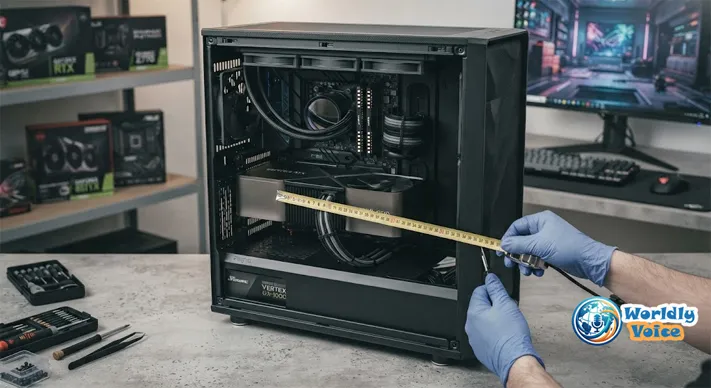
Trap 3: Forgetting Physical GPU Clearance
Many 2026 graphics cards are huge. Triple-slot coolers, vapor chambers, and oversized heatsinks help with temperatures, but they can create fitment problems.
Before buying, measure:
- GPU length clearance
- Case width
- Slot thickness
- Front radiator space
- Cable clearance near the side panel
This is one of the least exciting parts of how to choose a gaming GPU, but it can save you from returning a card that simply does not fit.
3. GPU Performance Tier List for 2026
Here is a practical overview of the current gaming GPU landscape.
| Performance Tier | Best Use Case | Recommended GPUs | Key Strength |
|---|---|---|---|
| Entry Mainstream | 1080p gaming, esports | RTX 5050, Intel Arc B580, RX 9060 XT 8GB | Affordable gaming and efficient performance |
| Advanced Mid-Range | 1440p high refresh | RTX 5060, RTX 5060 Ti, RX 9060 XT 16GB, RX 9070 GRE | Best balance of price, FPS, and VRAM |
| High-End Enthusiast | Native 4K and ray tracing | RTX 5070, RTX 5070 Ti, RX 9070, RX 9070 XT | Strong 4K gaming and creative performance |
| Flagship | Ultra 4K, 8K, AI, workstation tasks | RTX 5080, RTX 5090D / 5090D V2 | Maximum compute and rendering performance |
This table is the heart of any practical GPU price and performance comparison 2026. Most buyers should start in the mid-range, then move up only if their monitor and workload justify it.
4. Entry-Level GPUs: Best for 1080p Gaming
NVIDIA GeForce RTX 5050 8GB
The RTX 5050 is the entry point into NVIDIA’s Blackwell generation. It is not designed for extreme 4K gaming, and that is fine. Its real job is smooth 1080p performance, efficient power draw, and access to NVIDIA’s DLSS ecosystem.
For a student build, family PC, or esports setup, it makes sense. Games like Valorant, Fortnite, Rocket League, and Apex Legends do not need a flagship GPU to feel responsive.
Best for:
- 1080p monitors
- Esports
- Smaller PC builds
- Users who value DLSS and efficient drivers
You can review official platform details through NVIDIA RTX 50 series specs.
AMD Radeon RX 9060 XT 8GB
The RX 9060 XT 8GB is a strong rasterization card. That means it performs well in traditional game rendering, especially when ray tracing is not the main priority.
In my experience, AMD cards often appeal to players who want strong frame rates per dollar and do not rely heavily on proprietary software ecosystems.
Best for:
- Budget AAA gaming
- 1080p ultra settings
- Traditional rendering performance
- Value-focused builds
Intel Arc B580 12GB
Intel’s Arc Battlemage cards deserve attention. The Arc B580’s 12GB memory buffer makes it attractive for budget creators and gamers who want more headroom than typical entry-level 8GB cards.
Driver maturity has been Intel’s biggest challenge historically, but the value proposition is compelling when the price is right.
Best for:
- Budget content creation
- 1080p and some 1440p gaming
- Users who want more VRAM at lower prices
- Experimenters comfortable with driver updates
For official product context, Intel maintains its graphics platform information at Intel Arc graphics.
5. Mid-Range GPUs: The Smartest Choice for Most Gamers
This is where I would start if I were building a fresh PC in 2026.
The mid-range category gives you the best balance of cost, longevity, efficiency, and performance. It is also the most important section of this PC hardware buying guide because most gamers use 1080p or 1440p monitors, not extreme 8K displays.
NVIDIA GeForce RTX 5060 8GB
The RTX 5060 is likely to be the volume seller because it targets the broadest audience. It handles heavy 1080p gaming easily and can push into 1440p with optimized settings.
It is also a strong option if you care about DLSS 4, frame generation, NVIDIA Reflex, and broad creator software support.
Best for:
- High-refresh 1080p
- Entry 1440p gaming
- Streamers
- Competitive players
NVIDIA GeForce RTX 5060 Ti 8GB / 16GB
The RTX 5060 Ti is more interesting because of its two memory versions.
The 8GB model works for traditional gaming. The 16GB model is the one I would recommend for players who keep GPUs for four or five years. It is also better for modded games, large video timelines, and local AI experiments.
If you want the best graphics card for video editing and AI without paying flagship prices, the RTX 5060 Ti 16GB deserves serious consideration.
AMD Radeon RX 9060 XT 16GB
The 16GB version of the RX 9060 XT is one of the more practical AMD options for gamers who want memory headroom. It is a strong fit for 1440p gaming and high-texture settings.
This card is especially appealing if you prefer raw raster performance and do not need NVIDIA-specific workflow features.
AMD Radeon RX 9070 GRE 12GB
The RX 9070 GRE sits near the upper mid-range and can be a strong value if pricing is aggressive. It is suitable for players moving from 1080p to 1440p and wanting extra performance without jumping to premium cards.
For broader product details, see AMD’s official Radeon page using AMD Radeon RX 9000 series review.
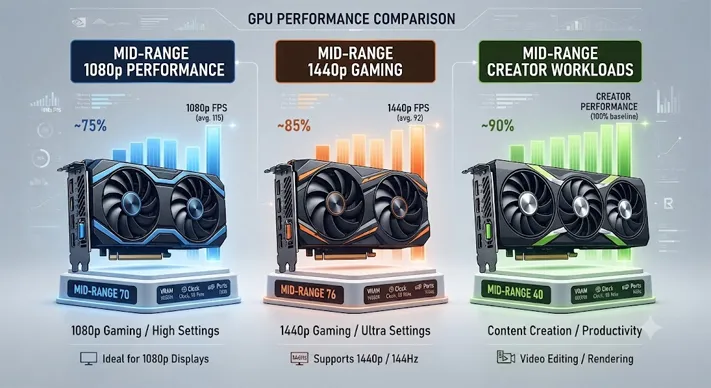
6. High-End GPUs: Best GPU for 2K and 4K Gaming
If you want the best GPU for 2K and 4K gaming, this is the category to study closely.
High-end cards are built for:
- 1440p ultra high refresh
- Native 4K gaming
- Heavy ray tracing
- 4K video editing
- AI acceleration
- Game streaming and recording
NVIDIA GeForce RTX 5070
The RTX 5070 is a strong enthusiast card for gamers who want smooth 1440p and capable 4K performance. It is not the absolute top of the stack, but it offers a serious jump over mainstream cards.
It is also a sensible choice for creators who use Adobe Premiere Pro, DaVinci Resolve, Blender, or AI-assisted tools.
NVIDIA GeForce RTX 5070 Ti
The RTX 5070 Ti gives more breathing room for 4K gaming and ray tracing. If you use a 4K 144Hz monitor, this is where NVIDIA starts to feel more comfortable.
In the NVIDIA vs AMD GPU comparison 2026, NVIDIA still tends to hold an advantage in ray tracing, AI software support, and creator acceleration. AMD often competes strongly on memory and raster value.
AMD Radeon RX 9070
The RX 9070 is a balanced high-end card for gamers who prioritize traditional rendering performance. It makes sense for players who enjoy open-world AAA games at 1440p or 4K but do not always enable the most demanding ray tracing settings.
AMD Radeon RX 9070 XT
The RX 9070 XT is AMD’s more aggressive enthusiast option. In many builds, it can be the better buy if priced below NVIDIA’s competing cards.
This is why I never recommend choosing by brand alone. Compare real pricing, warranty, game bundle value, and the games you actually play.
If your site covers monitors, this section pairs naturally with Best 4K Gaming Monitors 2026, 1440p Gaming PC Build Guide, and Best CPUs for Gaming 2026.
7. Flagship GPUs: For 4K, 8K, AI, and Workstation Loads
Flagship GPUs are thrilling, but they are not for everyone.
NVIDIA GeForce RTX 5080
The RTX 5080 is aimed at serious 4K players, streamers, and creators. It is the kind of card I would consider for a premium build with a high-refresh 4K OLED monitor.
It also makes sense if you work with GPU-heavy software and want fewer compromises.
NVIDIA GeForce RTX 5090D / 5090D V2
The RTX 5090-class cards sit at the top of consumer performance. These are for elite users: 4K max settings, heavy path tracing, 8K experimentation, large AI models, complex 3D rendering, and demanding production work.
But here is the honest advice: if you only game at 1440p, a flagship card is often wasted money. You may be better served by a cheaper GPU plus a better monitor, quieter case, larger SSD, or stronger CPU.
8. NVIDIA vs AMD GPU Comparison 2026
The NVIDIA vs AMD GPU comparison 2026 comes down to priorities, not loyalty.
| Category | NVIDIA RTX 50 Series | AMD Radeon RX 9000 Series | Intel Arc Battlemage |
|---|---|---|---|
| Ray tracing | Usually stronger | Improved but varies by title | Competitive in select budgets |
| Upscaling | DLSS ecosystem advantage | FSR widely supported | XeSS continues improving |
| Raster performance | Strong | Often excellent value | Strong budget potential |
| Creator apps | Broad CUDA support | Good open standards support | Useful media features |
| Value | Depends on pricing | Often aggressive | Strong if drivers fit your games |
Most studies and industry testing generally agree on a few consensus points: NVIDIA is often preferred for ray tracing and AI-heavy workflows, AMD frequently offers attractive raster performance per dollar, and Intel can be a value disruptor in budget tiers.
That said, pricing changes everything. A card that looks average at launch can become excellent after discounts.
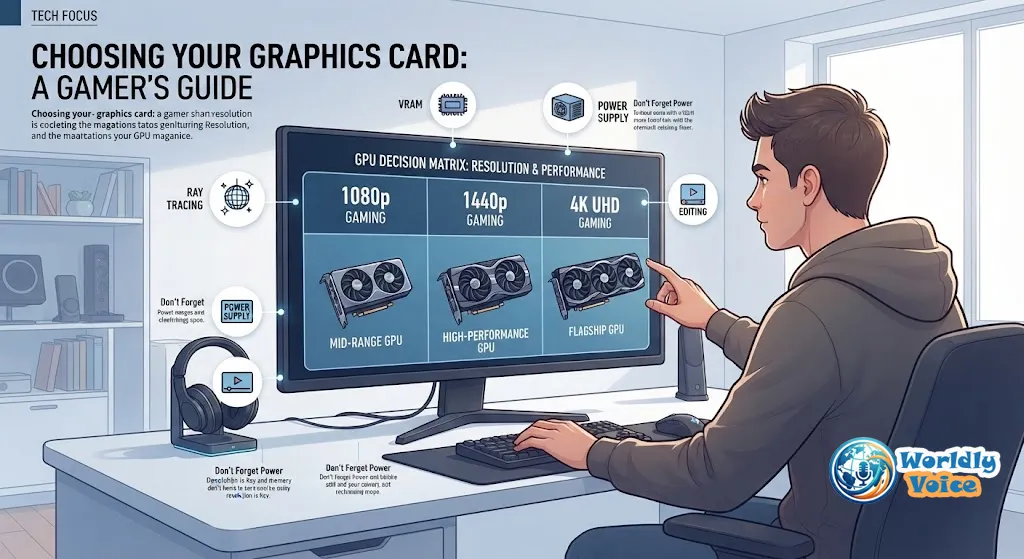
9. How to Choose a Gaming GPU in 2026
Here is the simple method I use when recommending GPUs.
Step 1: Match the GPU to Your Monitor
- 1080p 144Hz: RTX 5050, RX 9060 XT, Arc B580
- 1440p 144Hz–180Hz: RTX 5060 Ti, RX 9060 XT 16GB, RX 9070 GRE
- 4K 120Hz+: RTX 5070 Ti, RX 9070 XT, RTX 5080
- Extreme 4K/8K: RTX 5090-class
Step 2: Check Your Games
If you play ray-traced games like Cyberpunk-style titles, NVIDIA may be more appealing. If you play competitive shooters or traditional raster-heavy games, AMD may deliver better value.
Step 3: Consider Creative Work
For video editing, Blender, AI tools, and streaming, software support matters. CUDA support often gives NVIDIA an edge in professional and semi-professional workflows.
For laptop users doing similar work, compare with Best Laptop GPUs for 4K Video Editing before choosing a desktop replacement.
Step 4: Think About Longevity
If you keep GPUs for years, prioritize:
- More VRAM
- Strong cooling
- Better warranty
- Mature drivers
- Efficient power draw
A slightly more expensive card can be cheaper long-term if it avoids an early upgrade.
10. Authorized GPU Brands and Warranty Trust
Warranty support is part of performance. A cheap gray-market card can become expensive if support is denied.
For NVIDIA cards, look for authorized partners such as ASUS, MSI, Gigabyte, Zotac, PNY, Galax, Palit, Colorful, Gainward, Maxsun, and Inno3D.
For AMD Radeon cards, common board partners include Sapphire, XFX, PowerColor, ASRock, ASUS, Gigabyte, Biostar, and Maxsun.
In my experience, Sapphire and PowerColor are often popular among AMD buyers, while ASUS, MSI, Gigabyte, and Zotac are common NVIDIA choices. But the exact cooler model matters more than the logo.
FAQs
What is the best gaming graphics card 2026 for most people?
For most gamers, the RTX 5060 Ti 16GB or RX 9060 XT 16GB offers the best balance of price, performance, and longevity. They are especially strong for 1440p gaming.
Is 8GB VRAM enough in 2026?
Yes, for 1080p gaming and esports. For 1440p with high textures, 12GB or 16GB is safer. For 4K gaming, I recommend 16GB or more where possible.
Which is better in 2026, NVIDIA or AMD?
NVIDIA is usually stronger for ray tracing, DLSS, AI, and creator workflows. AMD often offers excellent raster performance and value. The best choice depends on price and your games.
What is the best graphics card for 1440p gaming?
The best graphics card for 1440p gaming is usually in the upper mid-range. Look at the RTX 5060 Ti 16GB, RX 9070 GRE, RTX 5070, or RX 9070 depending on budget.
Should creators buy a gaming GPU?
Yes, many gaming GPUs are excellent for creators. If you edit video, render 3D scenes, or run local AI tools, choose a card with strong software support and enough VRAM. Also compare Best Laptop GPUs for 4K Video Editing if portability matters.
Conclusion: The Smart Way to Buy a GPU in 2026
The best gaming graphics card 2026 is not one single model. It is the card that matches your resolution, budget, case, power supply, and workload.
If you play at 1080p, do not overspend. If you play at 1440p, target the mid-range sweet spot. If you want 4K ray tracing or serious creator performance, move into the high-end category. And if you need 8K, AI work, or elite rendering, flagship cards finally make sense.
My practical advice is simple: choose for the next three years, not just today’s benchmark. Check VRAM, cooling, power requirements, warranty support, and real game performance. That approach will make this graphics card buying guide 2026 more useful than any single FPS chart.
For related planning, pair this guide with Best CPUs for Gaming 2026, Best 4K Gaming Monitors 2026, 1440p Gaming PC Build Guide, and Best Laptop GPUs for 4K Video Editing.
